
Last updated on February 9th, 2025 by Kenneth Ojeisekhoba
OXERBLOG > BLOG > WORDPRESS.ORG VS WORDPRESS.COM
Disclosure: Oxerblog relies on its readers’ support through referral links. I may earn a small commission from some of them, at no additional cost to you.
If you’re using WordPress to launch your online business and career, this post will help you make an informed choice about your blogging needs and goals.

Beginners often confuse WordPress.com and WordPress.org because their domain names are similar.
Many do not know that WordPress.org manages the free content management system, WordPress, while WordPress.com offers hosting services (including a free plan) for websites built with WordPress.
This misunderstanding often leads aspiring bloggers to waste time setting up a free website on WordPress.com when their actual goal is to launch a self-hosted site on WordPress.org.
Unfortunately, this common mistake becomes clear only after they have invested significant time and effort into a site that does not meet their original intentions.
They suddenly discover that a free site offers very limited features including monetization opportunities.
Some beginners naively upgrade to paid plans on WordPress.com without fully understanding the details.
Even some who know these are two distinct platforms are still confused by the misconception that WordPress.org and WordPress.com are simply two versions of WordPress.
Regrettably, many articles intended to clarify the differences fail to do so effectively.
So, I have taken the initiative to create this comprehensive article outlining the distinctions between these two platforms to end the ambiguity.
In this article you’ll learn:
✓ The key differences between WordPress.com and WordPress.org that every beginner should know
✓ The main differences between a free WordPress.com website and vs self-hosted WordPress site, and which is the better choice
✓ The main differences between various WordPress.com paid upgrades and their self-hosted WordPress equivalent – from cost to monetization channels to maintenance.
With that, here is a list of contents for this post.
Table of Contents
▸WordPress.org vs WordPress.com Comparison
▸A Self-Hosted WordPress Site vs Free WordPress.com Website – Which is the Better Choice?
▪ A Self-Hosted WordPress Site
▸WordPress.com Paid Upgrades vs Their Self-Hosted WordPress Equivalent – Which is the Better Choice?
▸WordPress.com Commerce vs WooCommerce Hosting − Which is the Better Choice?
▸Frequently Asked Questions (FAQs)
Let’s get started.
WordPress.org vs WordPress.com Comparison
WordPress.org is the web address of the official website for the original WordPress project.
So WordPress.org is another name for WordPress.
WordPress is purely and simply a free and open-source content management system (CMS).
WordPress.com is a web hosting provider that runs on a modified version of WordPress (like many other modified versions).
So, there is really no basis for comparison between the two of them. Because, in the first place, they’re two different platforms created for different purposes.
A CMS is needed to create, publish, and manage website content, while a hosting service is needed to host it on the Internet.
In other words, you cannot create and maintain your pages and posts without a CMS, and you cannot host them on the internet without a hosting service.
That said, a CMS (like WordPress) cannot work alone. It has to be downloaded and installed on a web hosting platform. Then can you to be able to build your site and make it available on the internet.
WordPress currently powers nearly half of all the websites on the internet.
Now, each of these websites was set up (and is being maintained) with WordPress installed by their different web hosts.
So, a CMS works with a web hosting service to create a website and make it live on the Web.
The point is that web hosting services cannot be used to build a website; they can only host websites.
On the other hand, CMSs cannot be used to host a website; they can only create and publish websites.
And so there is no reason to compare them. Rather, they complement each other to create and host a website on the Internet.
Now, what hundreds of web hosting providers, including WordPress.com, have done as a market strategy is to make WordPress easy to use on their platforms.
Before now, you had to download and install WordPress on a hosting platform to be able to use it. (In actual fact, you can still download WordPress and install it on your private server).
But now, many hosting services have modified and preinstalled WordPress on their platforms.
In other words, they have been configured and optimized for WordPress so users can simply build their websites.
Like WordPress.com, these various hosting services run on different modified versions of WordPress and enable people to create and host WordPress sites on their platforms.
To better understand the difference between them, let’s explore WordPress.org and WordPress.com one by one.
▪ WordPress.org
No name is more legendary when it comes to content creation and management than WordPress.
It is the largest CMS in the world, currently powering over 43% of all blogs and websites worldwide.
WordPress.org is a non-profit organization. It is free and open-source software that is easy to learn and easy to use.
It is so simple anyone can easily use it to build a website. In fact, many WordPress users are non-techy and can use it right out of the box.
At the same time, WordPress is incredibly robust, and dynamic tech-savvy guys can customize it in remarkable ways to create a truly one-of-a-kind website.
Little wonder close to half of all the sites on the web are built on it.
Having said that, again, you cannot download WordPress and use it on its own.
It has to be installed on a server, either locally on your private computer or on a web host on the internet, before you can use it to build your website.
That’s why it is nicknamed “self-hosted WordPress” – just for the purpose of clarity.
So, anybody can download WordPress and use it in any way they want to build any type of blog or website.
That’s why it is called ‘democratized publishing’ – the freedom to build any type of site, the freedom to extend its functionality, and the freedom to share your content.
(By the way, if you create a website on your private computer, you will still need a web host to get it online).
WordPress is not owned by any individual or group of individuals. Rather, it is owned and managed by the WordPress Foundation formed in 2010.
The foundation depends on donations to run the organization.
It has an inclusive community of contributors from around the globe who work tirelessly to improve the software.
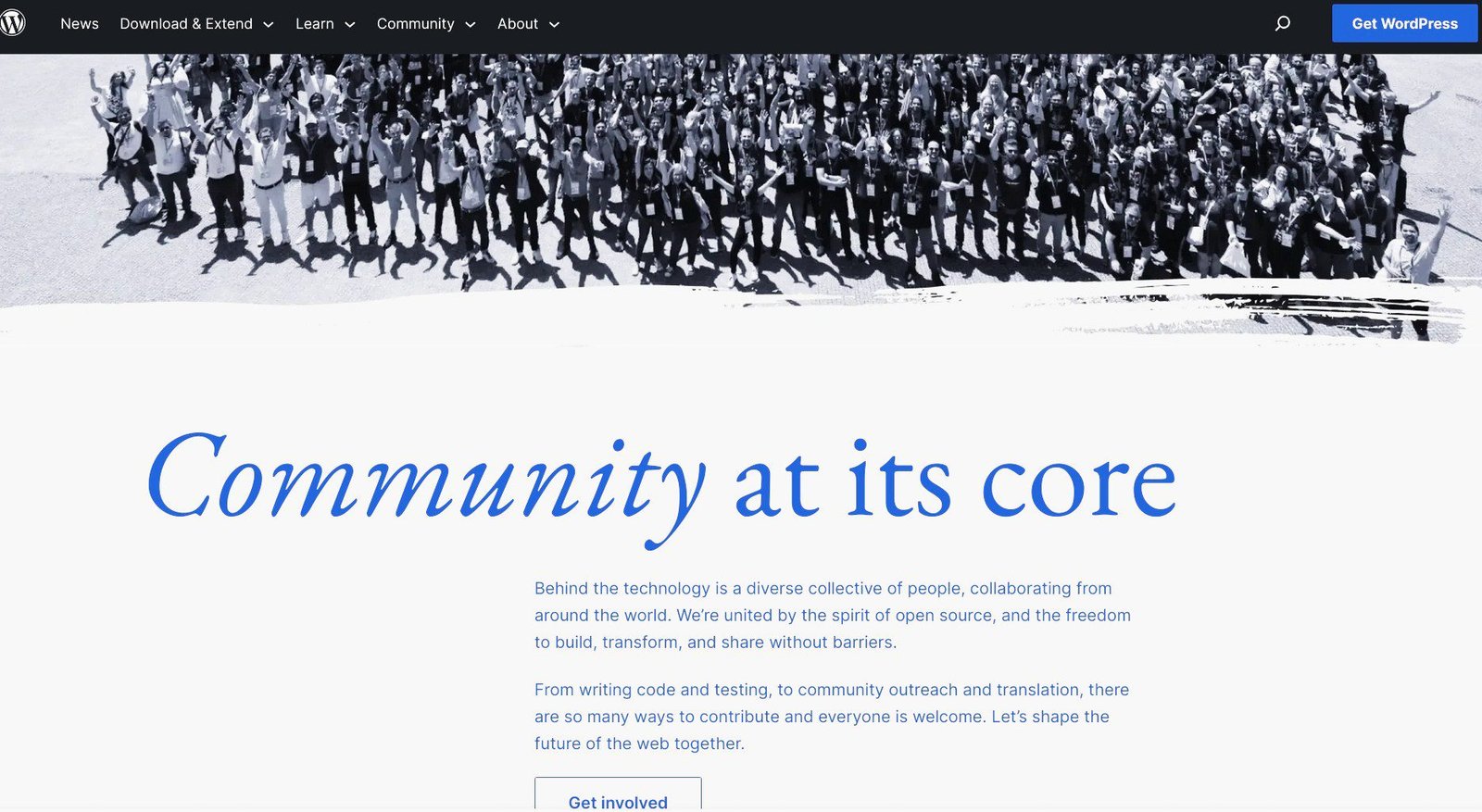
You too can get involved if you think you have something to contribute.
▪ WordPress.com
Again, WordPress.com is primarily a managed hosting platform where people use a modified pre-installed version of WordPress to build and run their websites.
It is privately owned by a company known as Automattic.
The CEO, Matt Mullenweg, is also the co-founder of WordPress.org (probably why he chose to use the same domain name for his web hosting company).
Like other contributors who work in or run their private companies, some staff and the owners of Automattic are also involved in the WordPress software project.
However again, the two platforms are completely different and have no affiliation.
So, “WordPress.com” cannot be shortened to “WordPress”. You must include the domain name extension “.com” all the time. Because once you remove it, you’ll be referring to the CMS software.
Furthermore, unlike WordPress that is completely free, WordPress.com is a for-profit hosting service that operates a freemium business model. (“Freemium” is a blend of “free” and “premium”).
They offer 6 different types of hosting packages: a free plan and 5 paid upgrades.
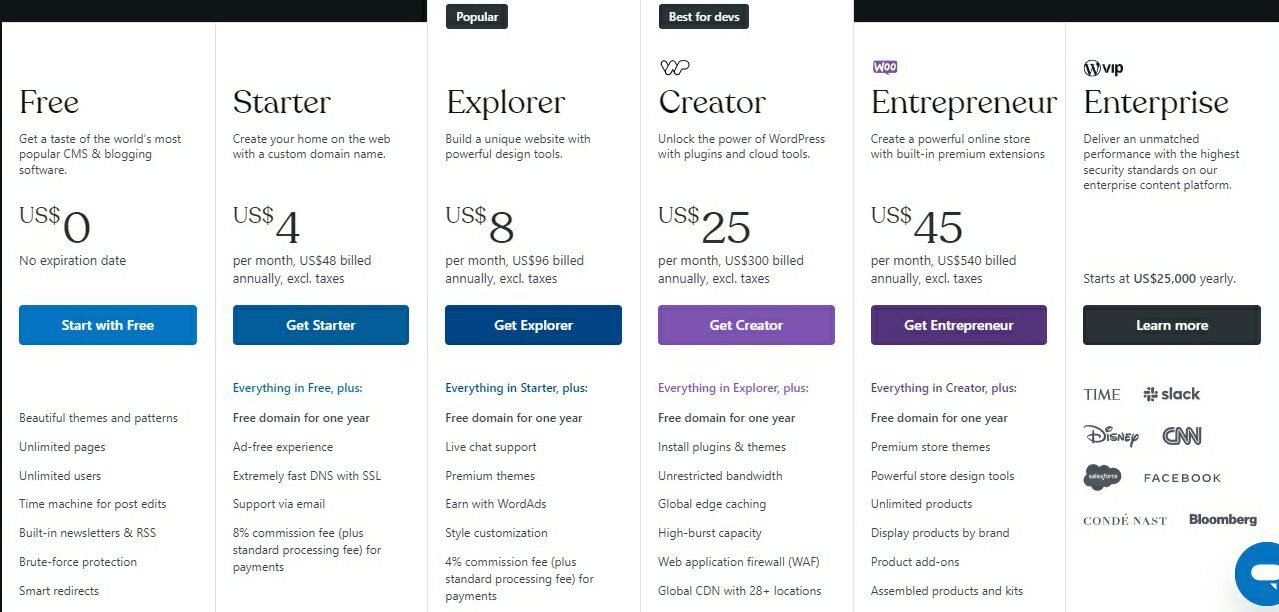
The Free plan is definitely the most popular of the six, hence its nickname ‘Free WordPress.com’. Again, it is probably one reason people confuse WordPress.com with WordPress, the totally free CMS.
The free plan is simply a business strategy for the company to attract more users and make money.
First, they make money by displaying adverts on all the free sites on their platform.
Second, the free plan has very limited features to entice people to upgrade to their paid hosting and “VIP” services.
Now you know the difference between WordPress and WordPress.com.
Let’s now look at the notable differences between a self-hosted WordPress website and a free WordPress.com site. Since beginners who want to make money online all too often find themselves creating a free site on WordPress.com, and innocently so.
A Self-Hosted WordPress Site vs Free WordPress.com Website − Which is the Better Choice?
If you want to build a business website or start blogging as a business, you’ll want to create a site where you can add all the essential features it needs to fully function and rank in Search.
So, between a WordPress.org site and a free WordPress.com site, which is the better choice?
First, let’s explore each separately.
▪ A Self-Hosted WordPress Site
A self-hosted WordPress website is a site you can build and host through any good web host that offers premium hosting and free WordPress installation.
It is the best option for website creation or serious blogging that is geared towards building a business and brand, or career and making money online freely.
Because you have complete freedom from the get-go to create a one-of-a-kind website with all the features and functionalities you need to be successful online.
Again, thankfully, there are a lot of web hosting companies that are optimized for WordPress.
They sell hosting at minimal cost and give you full authority over your site.
Below are the 3 of the web hosts recommended by WordPress on its official website:
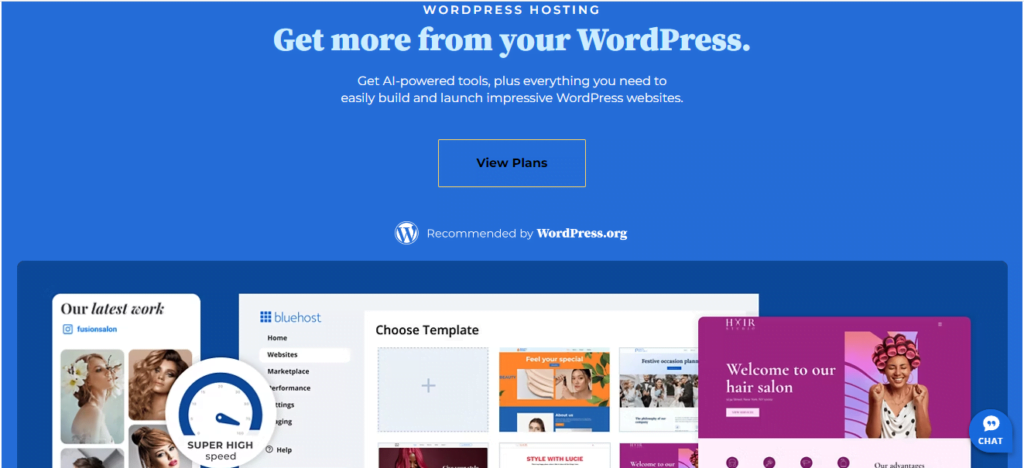
For just $2.95 a month, you can build and host your WordPress site on Bluehost.
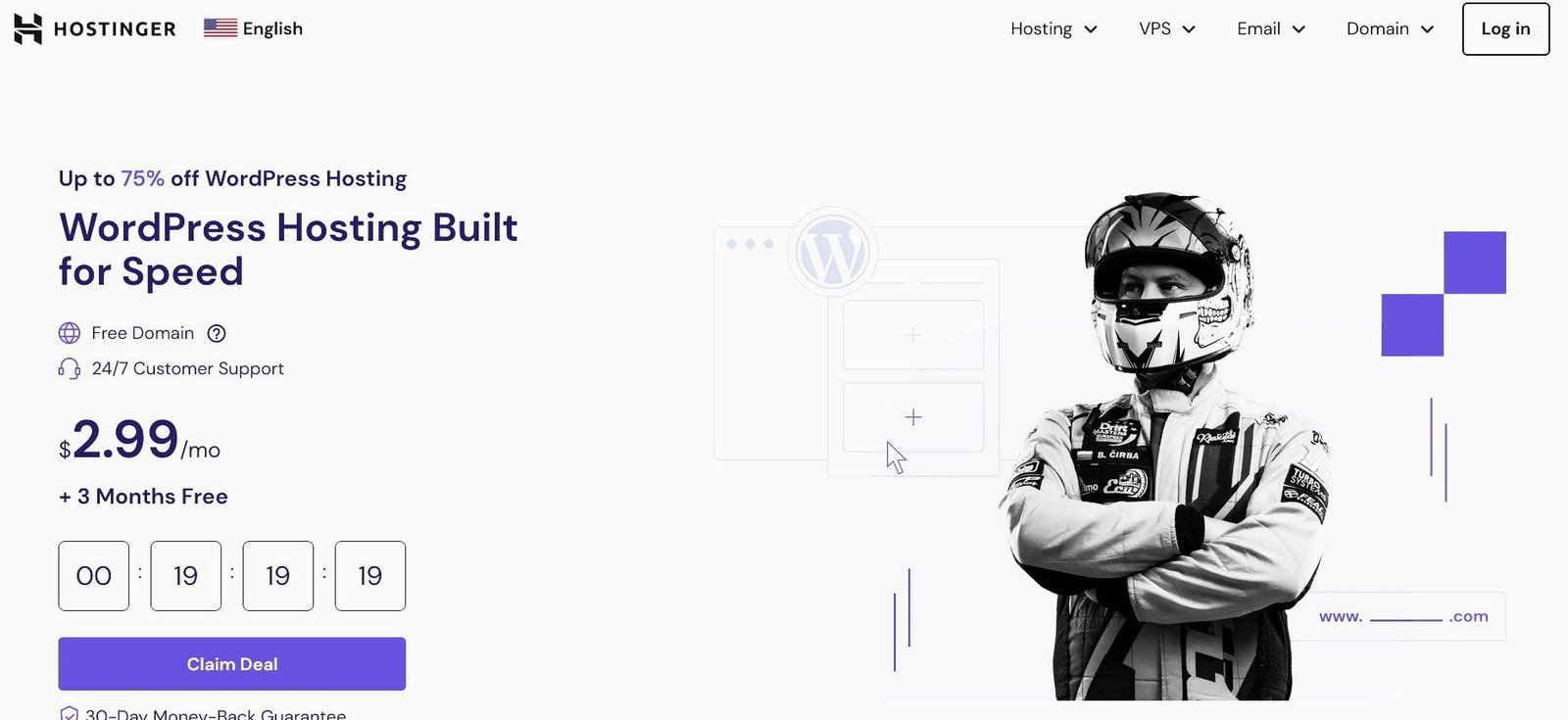
Web hosting on Hostinger is $2.99 monthly for the 12-month option, and $1.99 for the 48-month plan.
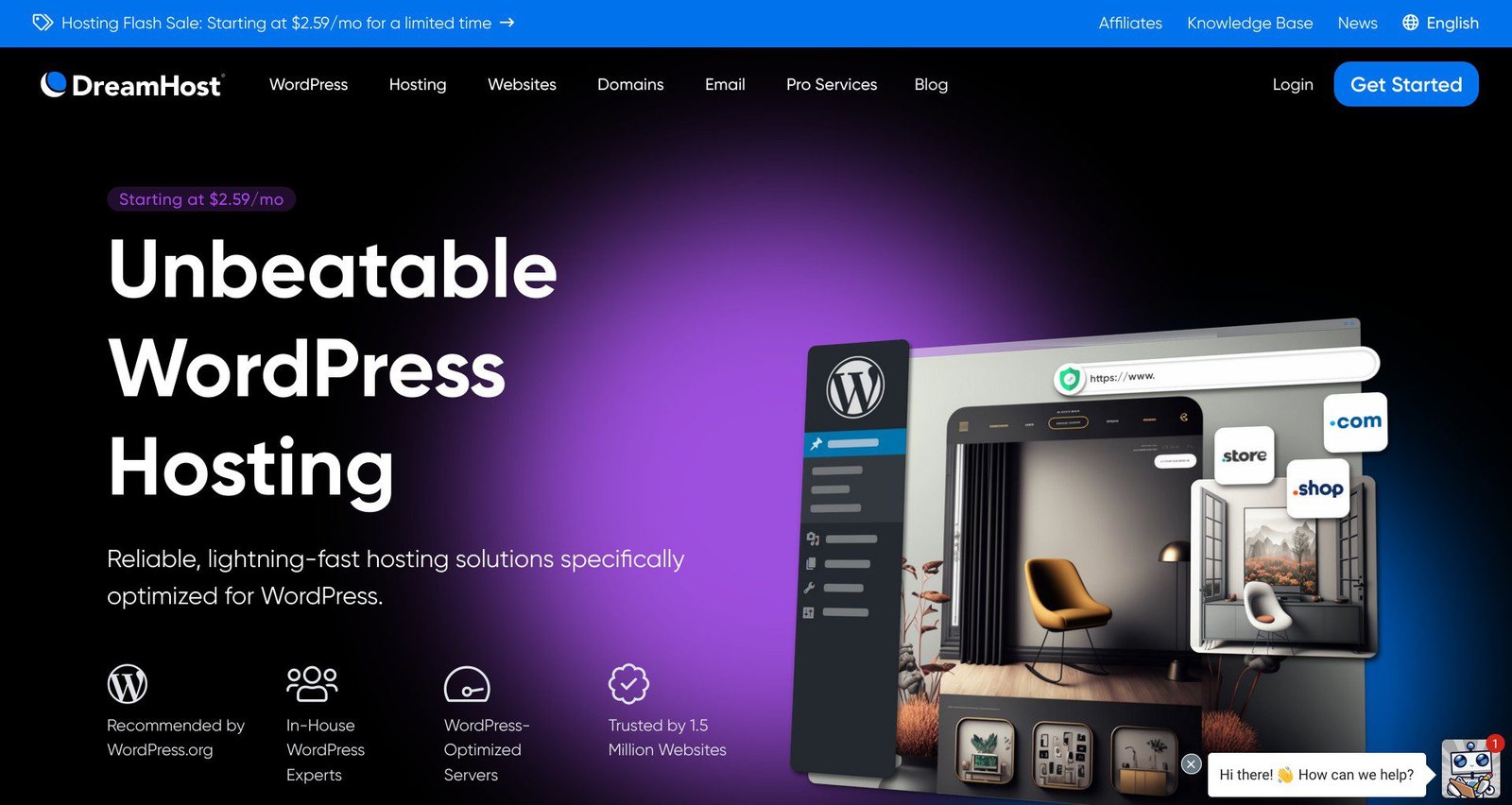
Web hosting is only $2.59 a month, and you can start building your dream site.
There are also other very popular WordPress hosting providers such as:
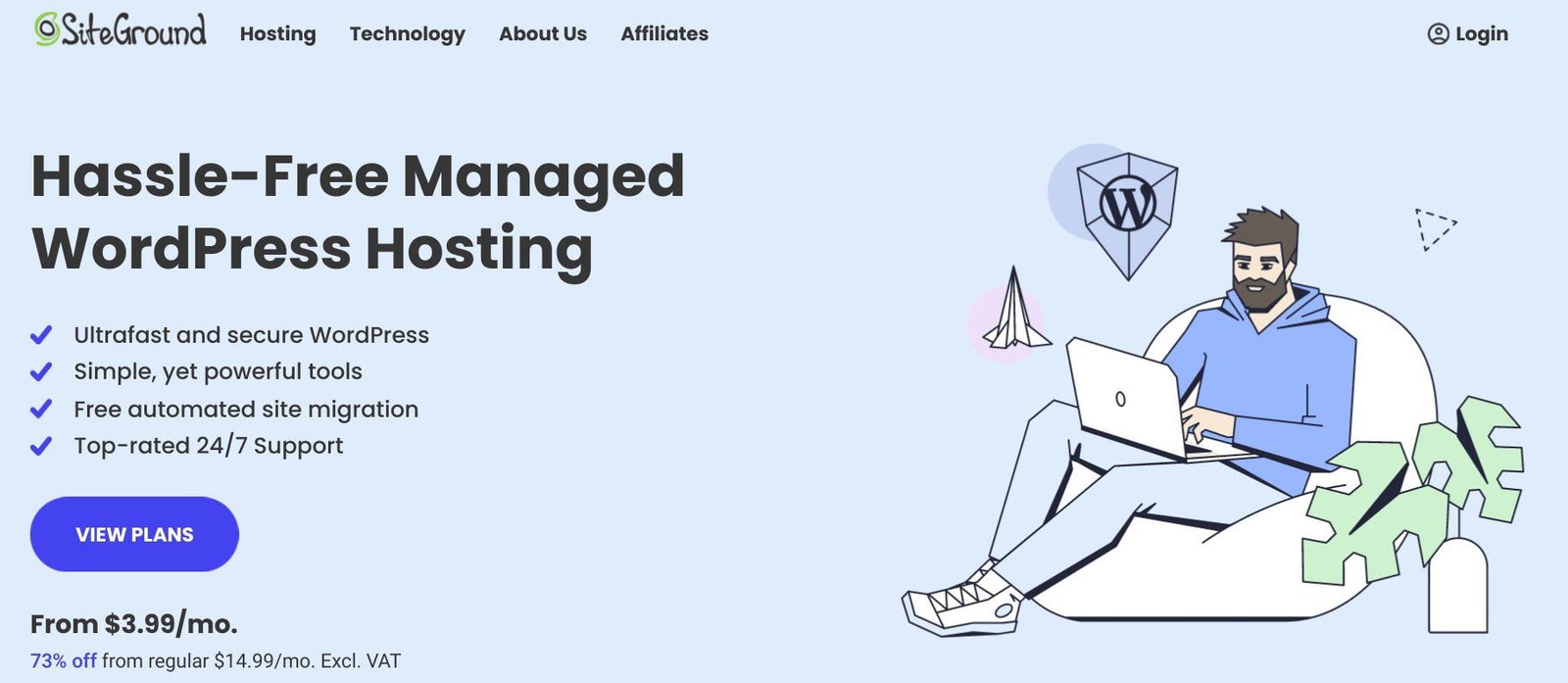
It costs only $3.99 to get started on SiteGround.
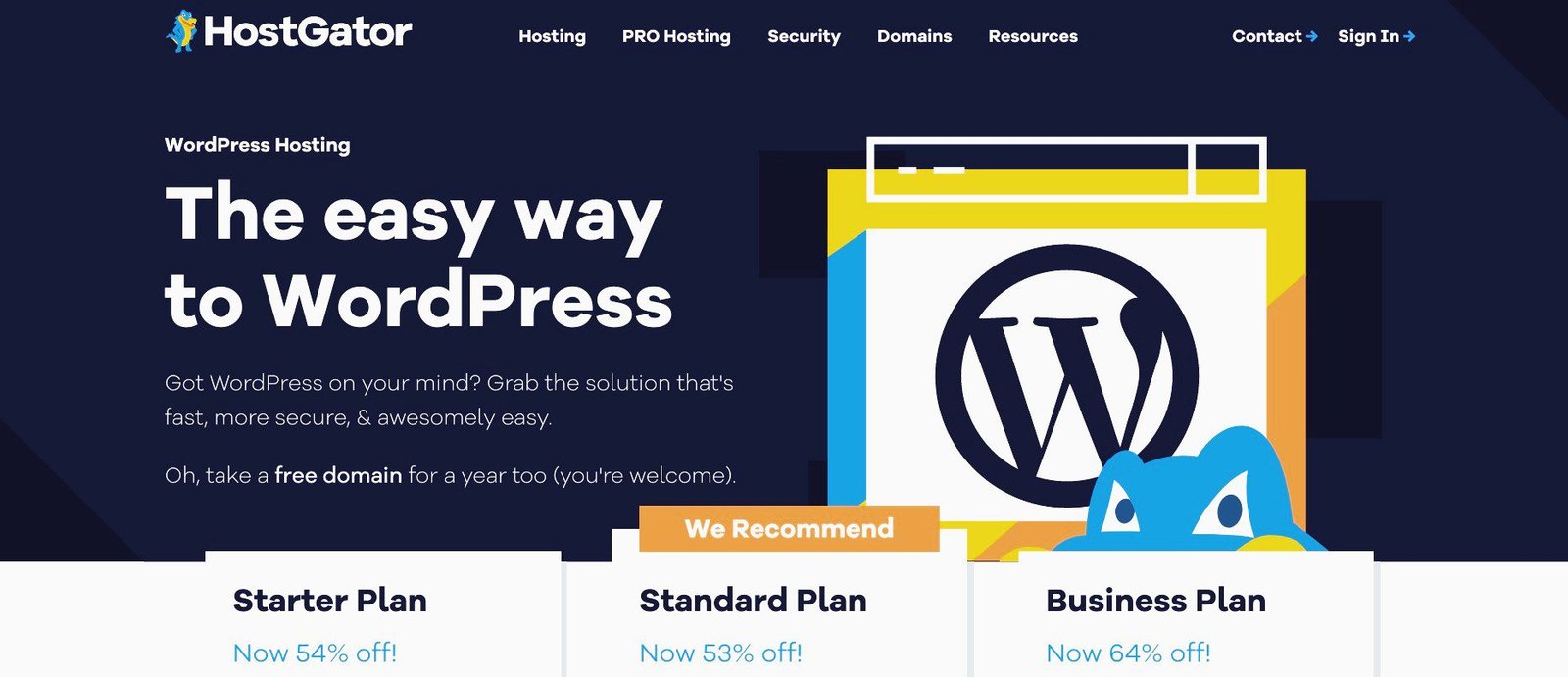
WordPress hosting starts at $3.75 a month on HostGator for one website and $4.50 for two websites.
Though they offer other types of hosting, all of the above companies are properly configured and well-optimized for WordPress.
So you can easily create, host, and manage any WordPress site without any restrictions.
Once you purchase web hosting from any of them, they will automatically set up WordPress for you, or with a simple one-click install.
Plus, you get a free domain for one year, among other numerous benefits.
You can visit each web host and compare their different hosting features. However, you’re good to go with any of them.
Below are the general advantages of building and hosting a WordPress site with any of them.
Pros of A Self-Hosted WordPress Site
Some of the so many positives of creating a self-hosted WordPress blog or website include:
1. 100% flexibility and customization. Right out of the box, you can access the features and resources you need.
This means you can customize your site design and functionality according to your preferences and needs without restrictions or limitations.
You can also change the look and feel of your site by simply adding your own CSS styles via the theme customizer or a good WordPress plugin.
So, from the get-go, you can build any type of website you want, whether a personal blog, business website, eCommerce store, or online marketplace, and make it truly unique and one of a kind.
2. 100% ownership and control. Your website and its data are fully yours, and you have full authority to decide what you want on it, and what you want to do with it.
For example, nobody can just place adverts on your site without your permission.
And if you choose to, you can sign up with multiple ad networks to place ads on your site.
You can also choose to bypass ad networks and sell ads directly to advertisers.
And when you don’t want adverts anymore, you don’t have to pay anyone to remove them.
3. Custom domain. You can use a custom domain name, as long as it is available. Your domain name can also bear any extension you like.
That said, choose a domain name that users can easily pronounce, spell, and share, among other factors.
4. Unlimited WordPress themes. You can use any WordPress theme on the internet, whether free or paid.
The WordPress theme directory currently has more than 12,000 free themes on its list.
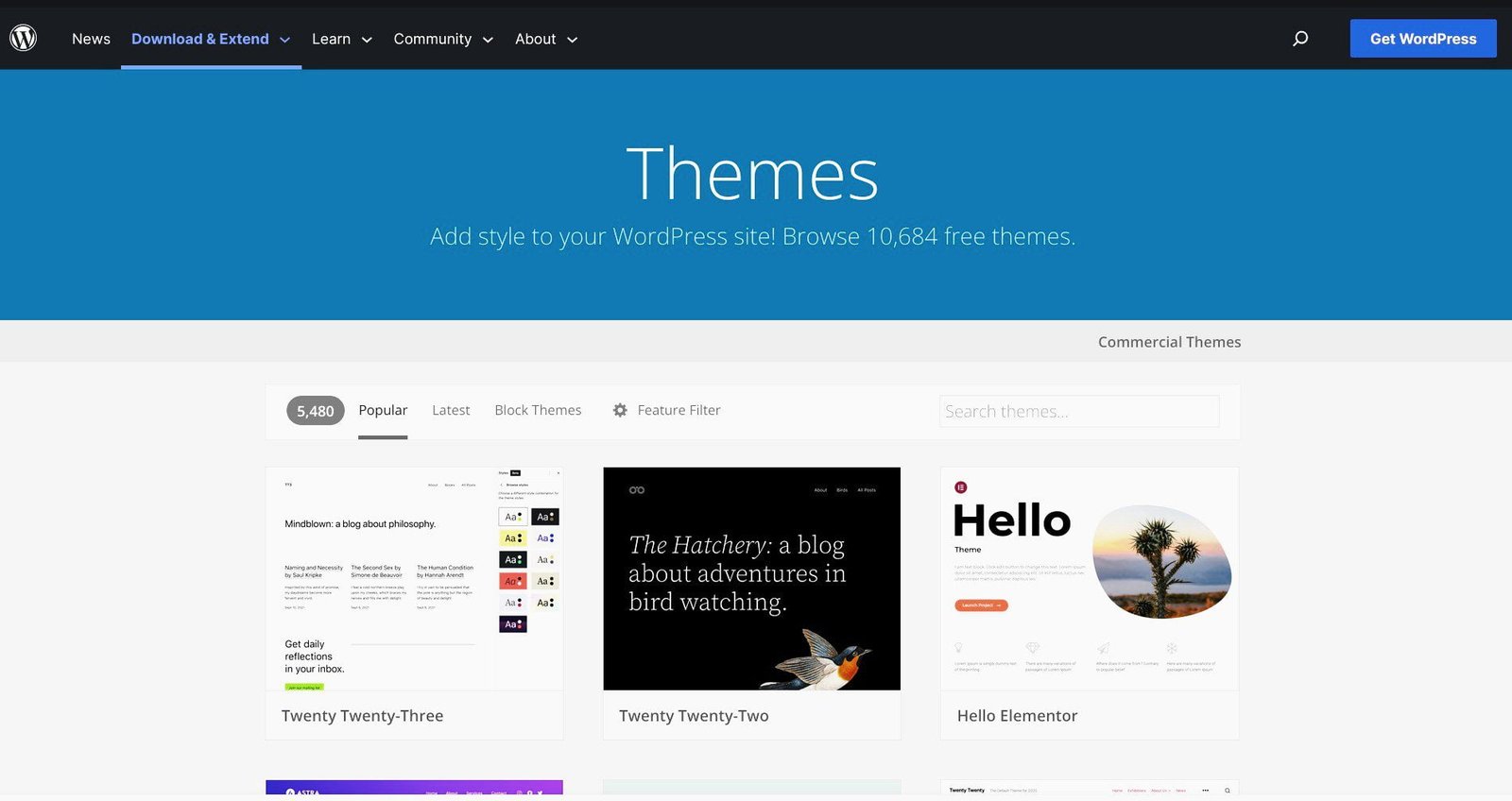
You can also access premium themes via Commercial Themes at the top of the WordPress.org theme page.
In addition, you can purchase paid themes from theme marketplaces like Envato, ThemeForest, MyThemeShop, and many others.
Once you choose your preferred theme, you can install and customize it to your taste.
And if you have the capacity, you can build a custom theme for your WordPress site from scratch.
5. Unlimited WordPress plugins. With a WordPress.org site, you have access to every WordPress plugin on the Web.
There are about 60,000 free plugins and counting in the WordPress plugins directory.

There are also thousands of premium plugins available to you to extend the functionality of your website any way you want.
6. Google Analytics. From day one, you can (and should) install Google Analytics, and other free powerful analytics tools like Google Search Console to monitor and improve your WordPress site.
7. More SSD storage. You have access to ample storage space to store your content. For example, Bluehost’s Basic comes with 10GB of storage, and Hostinger’s Single WordPress offers 50 GB.
8. ECommerce features. You can install the best shopping cart plugin, WooCommerce, on your site, create an online store, and start to sell your physical or digital products and services from the first day.
9. Unlimited monetization opportunities. A self-hosted WordPress site allows you to start earning money from your work with as many monetization channels as you want, without any restrictions.
One of the joys of starting a self-hosted WordPress site is earning your first dollar, then 10 dollars. Soon it becomes 100 dollars, and then 1,000 dollars, and so forth.
It is one of the best feelings in the world. The best part is, everything you make is yours.
10. Images, audio, and video content. You are free to add images, audio, and video files to your content to make it richer.
If you can, create unique pictures instead of stock images. They will help boost your rankings in Google Search and Google Images.
11. Access to SEO tools. You can use the best SEO strategies and tools to optimize your content. Which can boost your site’s search result rankings.
This increases your chances of attracting the right readership quickly and building a huge fanbase.
12. Unlimited social media tools. You can (and should) install social share features on your site to reach your target audiences on different platforms where you can find them.
13. No strict Terms of Service to adhere to. You won’t have anyone breathing down your neck with the threat of kicking you out if you don’t follow their strict rules and regulations.
So unless there is a hack, no one can just delete your website without notice because you ‘violated’ their Terms of Agreement.
The only time Bluehost, for example, can suspend or terminate your services is if you fail to renew your hosting plan when it expires.
And they’ll notify you before they take that kind of drastic step.
Cons of A Self-Hosted WordPress Website
Some of the disadvantages of creating a self-hosted WordPress site include:
1. Initial startup costs. As with any other business, you need to invest some capital to purchase web hosting.
Thankfully, top web host providers offer big discounts for the first term. Bluehost, for example, gives as high as 75% off to my readers.
So, web hosting drops from $11.99 to $2.95 per month (billed annually)
A good alternative is Hostinger. They offer web hosting at $2.99 monthly − for the 48-month plan).
2. Initial setup process. You need to invest a little time to set up your blog or website.
These days, however, creating a blog or building a website is a breeze, even if it is your first time.
There are lots of tools and step-by-step guides like mine to walk you through the whole process.
It can be both fun and a learning curve for you.
3. Yearly Maintenance costs. Your domain name and web hosting will renew at regular rates at the end of the first term.
On Bluehost, for example, it will cost an average of $25 for top-level domain renewal and $143.88 (at $11.99/month) for hosting renewal every year.
If you choose Hostinger, hosting will renew at $7.99 monthly (for the 48-month plan).
Hopefully, before the first term elapses, your website will have begun making enough money to bear its running costs.
Also, note that your maintenance costs could go up as you scale according to your emerging needs.
4. Security and Updates. Unless you purchase a WordPress-managed hosting plan from a web host like SiteGround, you’re responsible for securing and updating your site.
Thankfully, there are good, affordable plugins that can easily take care of your security needs. And most plugins come with automatic updates.
For the WordPress software, most popular web hosts like Bluehost automatically update it for you.
▪ A Free WordPress.com Site

A free WordPress.com site is a website that you can create and host for free on WordPress.com.
It is the most popular free site in the world (because of WordPress).
With that said, you’re not given a free hand to include all the features your site needs to function fully and succeed online.
So it is a valid option for leisure bloggers and those who want to sharpen their blogging skills.
Pros of A Free WordPress.com Site
Some of the big positives of starting a free WordPress.com site include:
1. No startup costs. On WordPress.com Free, you can quickly get your ideas online without paying for web hosting.
So your blog or website can be live on the Web in minutes without you spending any money.
2. Very minimal setup process. All you need to get started is create a WordPress.com account with your email, username, and password. Then with a few clicks, you can enter your subdomain, pick a free theme, and launch your new site.
3. Zero maintenance costs. According to WordPress.com, a free site has no expiration date, so it can be online forever. That is if you do not breach any of their terms or policies.
4. Maintenance and Security. WordPress.com handles both. So, you don’t have to worry your head about how to maintain your site, or how to install a security plugin to secure your content.
That said, you’re fully responsible for maintaining the security of your account. So you still have to worry about security breaches by unauthorized access to your credentials.
Cons of A Free WordPress Website
Some of the major disadvantages of creating a free WordPress.com site:
1. Control and Ownership are not 100%. Though they claim all your content is yours, in reality, you do not have complete authority over your free site.
For example, WordPress.com will display ads on your site whether you like it or not. And worse still, you won’t receive any share of revenue generated from the ads (through their official advertising program, WordAds).
2. You cannot use a custom domain. You can only use an appendage (or subdomain) of WordPress.com. For example, https://www.yourname.wordpress.com.
This makes your domain name longer, which isn’t user-friendly, and good for business.
3. Limited WordPress themes to select from. You can only choose from the free themes in their Theme Gallery.
You cannot use any other theme even in the WordPress theme repository. You also cannot upload a custom theme.
4. WordPress plugins are not allowed. You cannot install plugins to add even the simplest features to your free site. Which means your free site will lack the basic functionality it needs.
5. Very little storage space. A free WordPress site now comes with 1GB of web space. So, you won’t have enough storage for your content.
Also, you may not be able to add enough relevant images to illustrate your site and enhance its visual appeal.
6. No opportunity for eCommerce. You cannot add any eCommerce solution to your free site to display and manage your products and services.
7. Limited monetization channels. You can generate revenue on WordPress.com Free through their subscription-based newsletters, paid content, and donations.
However, these built-in blocks are very limited. And you cannot install plugins for more robust features.
Also, WordPress.com charges 10% commission fees for payments.
However, you cannot earn money through display ads with WordAds, third-party ad networks like Google AdSense, or by selling ad space directly. And most sites depend on advertising revenue to stay afloat in the beginning.
Meanwhile, WordPress.com will display ads on your free site and make money from it.
You also cannot sell anything on WordPress.com Free to make money.
8. Limited social shares. WordPress.com Free only allows 30 shares per month on all social platforms.
So, you cannot maximize the huge opportunity social media presents to bloggers and business owners to get their content in front of their target audiences on different platforms and attract thousands of users to their sites.
9. Audio and video content are not allowed. You cannot upload audio and video files to your free blog and website.
10. Limited site customization. You only have a few tools and resources to work with, so you cannot customize your site design and functionality according to your preferences and needs.
11. Search engine optimization tools. You cannot use SEO tools and strategies to improve your site’s organic search rankings. And without search engine optimization, no site can perform well in Search.
Below is an infographic comparison between WordPress.com Free and vs self-hosted WordPress website.
| Features | Self-Hosted WordPress Site | Free WordPress.com Website |
|---|---|---|
| Initial startup costs | Between $2.50 and $3.00 a month | Completely free |
| Initial setup process | Needs a bit of time to set up | Requires minimal setup |
| Domain name | You can use any custom domain name as long as it is available | You can only use a subdomain of WordPress.com |
| WordPress themes | You can install any free, premium, or custom theme that you want | You can only select from the preinstalled free themes in the Word|Press.com theme collection |
| Monetization channels | You can make money using any and various monetization methods without restrictions | You can monetize your free site with limited paid memberships, gated content, and donations. But not with display ads and selling products |
| WordPress plugins | You can install any plugin, whether free, paid, or custom, to extend WordPress’ functionality | You are not permitted to add extra features to your free site with plugins |
| Site customization | You can design and customize your site as you want from top to bottom | You are only allowed to make very minimal changes to your site design |
| Tools for SEO | You can use SEO tools and strategies to improve your search performance and rankings | You are not allowed to use any SEO tools on your free site including their built-in features |
| Images, audio, and video files | You can add related pictures, audio, and videos to your posts and pages to boost your content | You cannot include audio and videos to your pages and posts, and you can only add a couple of images because of storage space |
| Solutions for eCommerce | You can add full eCommerce solutions to your site, including payment features | You are not allowed to sell any product or service on your site or conduct any kind of eCommerce activity |
| Shares on social media | You have unlimited shares per post, on each social media platform | You are only allowed 30 shares per month per post, on all social platforms combined |
| SSD storage space | Hosting plans include between 10 and 100 GB of web space | WordPress.com offers only 1 G of storage on its free plan |
| Yearly maintenance costs | Between $70 and $180 a year | Zero running costs |
| Ownership and control | You have complete ownership and control over your website and content | You may own your site and its data, but you do not have absolute control over it |
| Updates and backups | You can easily manage auto updates and real-time backups with plugins | You are not allowed to auto-update your site or backup its data in real-time |
| Site security | You can fully secure your site and data with plugins | You are only allowed some levels of security |
So again, between a self-hosted WordPress site and a free WordPress.com website, which is the better choice?
From the pros and cons discussed above, a self-hosted WordPress site is clearly the better option.
To build a solid website that can compete with the best, you need a robust hosting plan that will give you great latitude to create a satisfactory amount of content including images and videos.
A free site doesn’t permit much flexibility; it is just too restrictive in so many ways.
Again, WordPress.com’s hosting structure is the company’s strategy to make money through adverts on the limited free plan and get people sucked further and further into their paid upgrades.
Which brings us to the next critical question:
Between WordPress.com paid upgrades and their self-hosted WordPress equivalent, which is the better choice?
First, you want to pick the best web hosting that will help you cut costs and maximize profits.
Second, you want to be able to access the best tools and features needed to build and maintain your site at every stage at the most affordable prices.
Third, you want to take the best route to creating a WordPress site that makes serious money online.
With these three important points in mind, let’s compare both groups.
WordPress.com Paid Upgrades vs Their Self-Hosted WordPress Equivalent − Which is the Better Choice?
Let’s look at WordPress.com’s paid upgrades and their self-hosted WordPress alternative(s) in terms of price range and features.
1. Initial startup costs. WordPress.com Starter costs $4 a month (i.e. $48 a year); Explorer costs $8 a month (i.e. $96 per year), and Creator costs $25 a month (i.e. $300 a year).
While self-hosted WordPress Shared hosting costs between $2.50 and $6 a month; that is $30 to $72 a year.
For example, Bluehost’s Basic plan costs $2.95 per month, amounting to $35.40 per year (for the introductory term).
A good alternative is Hostinger’s Single plan. It costs $2.99/month for the 12-month term, $2.29/month for the 24-month plan, and $1.99/month for the 48-month plan.
So on Hostinger, hosting will cost $35.88 for 1 year, $54.96 for 2 years (i.e. an average of $27.48 a year) and $95.52 for 4 years (i.e. $23.88 a year) – again, for the first term.
Another good substitute is SiteGround’s StartUp. It costs $3.99/month − that is $47.88 for the first year.
2. Monetization methods. All WordPress.com plans allow you to earn money with paid subscriptions, premium content, donations, affiliate marketing, and sponsored posts.
However, you cannot create a site primarily to drive traffic to affiliate links, or where most of your posts are sponsored content.
WordPress.com will also take commissions on payments made − 8% on Starter, 4% on Explorer, and 2% on Creator plan.
For display ads, you can’t make money with WordAds on the Starter plan. You can only start to earn from WordPress.com Explorer.
You also cannot sign up with third-party ad networks, sell ad space directly, or offer products on Starter and Explorer plans; you’d need to scale to WordPress.com Creator.
With self-hosted WordPress, you can use as many channels as you want to make money on any plan
3. WordPress themes. Firstly, you cannot install free or premium themes on Starter and Explorer plans other than the ones in WordPress.com’s theme collection.
Secondly, you can only use a free theme on the Starter plan. However, you can choose any of the paid themes on the Explorer plan.
You’ll have to upgrade to the Creator plan if you want to use a theme outside their list of themes whether free, premium, or custom-designed.
On a self-hosted Shared plan, you can install any free or paid theme you want on your site from the outset.
4. WordPress plugins. WordPress.com does not allow the installation of plugins on Starter and Explorer plans, so you can’t extend your site’s functionality.
Just like for themes, you’d need to scale up to the Creator plan if you want to add new features to your website with plugins.
On a self-hosted WordPress Shared plan, you can install any plugin to add the feature you want on your site.
5. Site design & customization. You cannot change or customize the font, color, or other features of your site’s design on the Starter plan.
To imprint your style on your website, you’d need to upgrade to either Explorer or Creator plan. For example, you can customize your site’s appearance with the CSS editor.
On a self-hosted WordPress Shared plan, you can take control of the fine details of your site’s design, including the font and color. You can also add custom CSS to override your theme’s design.
6. ECommerce services. Again like Free hosting, Starter and Explorer plans do not include or allow eCommerce features. So you cannot offer your goods and services or any other kind of eCommerce solutions.
You can only install WooCommerce on your personal or business website to offer eCommerce services when you upgrade to WordPress.com Creator.
On a self-hosted WordPress Shared plan, you can start selling your digital or physical products and services on your blog or website, from the get-go.
7. SEO Tools. You cannot access the built-in search engine optimization tools to help your site’s rankings in search results on Starter and Explorer plans. These features are only available on the Creator plan.
You can also use an SEO plugin like AIOSEO or Yoast SEO to replace the built-in tools.
While on a self-hosted Shared plan, you can optimize your site for SEO with any free and paid tool.
So from the outset, you can influence how people find you through search engines like Google.
8. Audio and video content. WordPress.com allows you to upload audio files on your site with all their paid plans.
However, like Free hosting, you cannot include video files in your content on WordPress.com Starter.
You’ll need to scale to either Explorer or Creator plan to display your video content, with their Video block or VideoPress player.
On a self-hosted Shared plan, WordPress by default comes with features that allow you to easily upload or embed your videos on your site.
9. Social media shares. Starter plan users get only 30 monthly shares to share their posts on social media, while Explorer and Creator users can share theirs without limit.
On a Shared plan, you can add all the social share buttons you want to your posts from the get-go. And you can share your content without limit.
10. Web analytics. All WordPress.com plans come with limited built-in website statistics.
However, the Explorer plan and upward offer more advanced third-party analytics features like Google Analytics.
All self-hosted WordPress plans allow third-party analytics integration like Google Analytics, KissMetrics, and others.
11. Storage space. The Starter plan comes with 6 GB of storage, Explorer 13 GB, and Creator 50 GB.
On self-hosted WordPress, Bluehost’s Basic Shared plan, for example, offers 10 GB of storage, while Hostinger’s Single plan comes with 50 GB.
12. Real-time backups. Starter and Explorer plans do not include automatic backup of the changes you make to your data.
So in the event of a major incident, say your site gets hacked, you initiate an update, or you migrate to another hosting provider, some vital data can be lost forever.
You’d need to upgrade to the WordPress.com Creator plan if you want your backup process automated.
Virtually all self-hosted WordPress plans offer daily or weekly real-time backups and keep multiple copies of your account.
However, you can also install a good free or premium WordPress plugin to fully and incrementally back up your website under any hosting plan.
So, you can easily recover and restore any version of your data at any point in time.
13. Site security and safety. All WordPress plans offer basic protection from brute-force attacks, malware, and spam comments.
That said, you can better minimize vulnerability to malicious attacks on the Creator plan with a Web Application Firewall (WAF), for example.
On any self-hosted WordPress plan, you can successfully block various malicious threats to your site security with formidable plugins.
14. Maintenance costs. All paid WordPress.com plans renew at the same price as the first year, i.e. Starter − $48, Explorer − $96, and Creator − $300.
For self-hosted WordPress, hosting typically reverts to the normal price.
So for example, Bluehost currently renews at $11.99 a month, which comes to $143.88 a year (for the 12-month period).
Hostinger’s Single plan will renew at $10.99 a month for the 12-month plan, that’s $131.88 a year.
SiteGround’s StartUp plan renews at $14.99/month, that’s $179.88 a year.
However, for all WordPress.com paid upgrades and self-hosted WordPress plans, you have to renew your domain name at the end of the first year.
Though the maintenance costs for self-hosted WordPress will increase after the initial billing cycle, it is still the best option to make money online.
First, you can access all the tools you need to build the kind of website you want, and you can use more and different monetization methods to make money online.
And hopefully, your website will have become profitable enough to pay for itself when you want to renew your hosting plan.
| Features | WordPress.com Paid Upgrades | Self-hosted WordPress Equivalent |
|---|---|---|
| Initial startup costs | Starter plan costs $4/month = $48/year; Explorer $8/month = $96/year; Creator $25/month =$300/year | Web hosting costs between $2.50 and $6/month = $30 – $72/year |
| WordPress themes | You cannot install themes outside their collection on Starter and Explorer plans, only on the Creator plan | You can install any free, paid, or custom theme you want to use as your website’s design |
| WordPress plugins | You cannot install plugins on Starter and Explorer plans unless you upgrade to the Creator plan | You can add any feature you want on your site with plugins |
| ECommerce features | You cannot offer any eCommerce services on Starter and Explorer plans; except on the Creator plan | You can operate a full-fledge eCommerce store to offer your products and services |
| Monetization channels | You can earn with all the popular methods, but no WordAds on the Starter plan, and no 3rd-party ad networks, selling products and ad space directly on Explorer and Creator plans | You can add as many channels as you want to monetize your blog or website – on any plan – and earn money without restrictions. And everything you make is yours |
| Design & customization | You cannot customize your site on the Starter plan; you’d need to upgrade to Explorer or Creator plan | You can customize the minute detail of your site’s design including the font and color |
| SEO tools | You cannot optimize your site on Starter and Explorer plans; you’d need to upgrade to the Creator plan | From the outset, you can influence your site’s appearance in search results with SEO |
| Video files | You cannot add videos to your site on the Starter plan, unless on Explorer and Creator plans | You can upload all your video files on any self-hosted WordPress plan |
| Shares on social media | The Starter plan has room for only 30 shares per month; Explorer and Creator plan users have unlimited shares | There are no limits to the number of times you can share your posts on social channels |
| Site analytics | All WordPress.com plans have built-in analytics. But you install advanced analytics like Google Analytics on Explorer and Creator plans | You can install robust third-party web analytics tools like Google Analytics, Kissmetrics, etc. to track your site traffic |
| Automated backup | Real-time backup is not enabled on Starter and Explorer plans; you can only enjoy that feature on the Creator plan | Most hosting providers offer limited backup services. However, there are easy-to-use backup plugins you can install |
| Security and safety | Starter and Explorer plans offer basic protection; the Creator plan offers better security from attacks | You can install security plugins against malicious attacks on any self-hosted plan |
| Maintenance costs | All paid plans renew at the same price as the initial terms | Hosting plans are usually higher than the introductory term |
| Storage capacity | Starter 6 GB; Explorer 13 GB; Creator 50 GB | Web space is between 10 and 200 GB |
WordPress.com Commerce vs WooCommerce Hosting ‒ Which is the Better Choice?
Again, WooCommerce can be installed on WordPress.com Business or any self-hosted WordPress plan − for small businesses and personal websites.
However, like WordPress.com, popular web hosts have dedicated WooCommerce hosting for online stores with sizeable customer bases.
Because eCommerce websites require more features and resources to run.
So let’s compare WordPress.com eCommerce vs WooCommerce hosting − to see which is the better choice.
1. Initial startup costs. It costs $45 monthly to launch an online store on WordPress.com Entrepreneur, which amounts to $540 a year.
While the first term for WooCommerce hosting on some of the best providers is heavily discounted.
A good example is SiteGround WooCommerce hosting.
They have 3 hosting plans: StartUp − which costs $3.99/month (i.e. $47.88/year), GrowBig − $6.69/month (i.e. $80.28/year), and GoGeek − $10.69/month (i.e. $128.28/year).
A good alternative is the Bluehost WooCommerce. It costs $8.95/month (i.e. $107.4 for a year).
The 36-month option is the best deal. You get to pay $11.95/month, that’s $430.2 for 3 years.
Maintenance costs. WordPress.com Commerce will renew at the same price as the first year, i.e. $540.
While SiteGround WooCommerce will revert to the regular price. So StartUp will cost $17.99/month (that’s $215.88/year), GrowBig
Bluehost WooCommerce renews at $26.99/month for the 12-month term and $25.99/month for the 36-month duration.
There are many WooCommerce extensions and plugins that you can use to add different features and functionalities to your online store − and most are free.
| Features | WordPress.com Commerce | WooCommerce Hosting |
|---|---|---|
| Initial startup costs | Entrepreneur $45/month = $540/year | Between $4 and $10/month = $48 − $120/year |
| WordPress themes | You cannot install themes outside their collection on Personal and Premium plans, only on Business plan | You can install any free, paid, or custom theme you want to use as your website’s design |
| WordPress plugins | You cannot install plugins on Personal and Premium plans unless you upgrade to the Business plan | You can add any feature you want on your site with plugins |
| Maintenance costs | Renews at the same price as their initial term – $540/year | Renews at normal prices between $15 and $45/month = $180 −$540/year |
Frequently Asked Questions (FAQs)
As more people go online to want to start a blog or create a website, they ask lots of questions about the differences between WordPress.org and WordPress.com.
Below are some of the most frequently asked questions about this topic to help you avoid common pitfalls:
Are WordPress.com and WordPress.org the same?
Apart from sharing the same domain name and having the same founder (Matt Mullenweg is the co-founder of WordPress.org), WordPress.com and WordPress.org are completely different platforms for different purposes.
WordPress.org (or simply WordPress) is a free content management system (CMS) for creating and managing a website, while WordPress.com is a hosting service for hosting websites online.
Which is better for SEO, WordPress.com or WordPress.org?
First, SEO is a must if you want your content to be seen by the right people.
The WordPress.com Free, Starter, and Explorer plans do not allow the use of SEO tools (including theirs), unless you upgrade to the Creator plan for $300 per year.
But on a self-hosted WordPress website, you can fully optimize your site for SEO on the least hosting plan that costs as little as $35 a year on Bluehost, for example.
So, a self-hosted WordPress website is better for SEO than a WordPress.com site.
To learn more about SEO, see my articles on 27 simple SEO best practices (recommended by Google), and how to develop a robust SEO strategy (to grow your website).
Is WordPress.com more secure than WordPress.org?
You should take security seriously from the first day of launch. Because tens of thousands of websites get hacked every day. There are just bad people out there.
WordPress.com is responsible for securing their servers, and so far, so good.
With that said, though no major security breach has occurred at WordPress.com, accounts and websites still get compromised.
In such situations, WordPress.com simply suspends or disables the account, store, or website, sometimes without notification.
And unfortunately, you can’t back up your website on the Free and Starter plans.
On the other hand, the WordPress software is quite secure.
Because of its popularity, WordPress remains a major target for hackers. But the WordPress.org community is always one step ahead of them.
That said, you still need to choose a secure web host.
For a basic WordPress.org site, you’re solely responsible for security. However, it is no big deal. Thanks to quality security plugins with robust features, you can easily secure your content from the start.
SucuriSecurity is a good example. You can start with their free version, and it is available to all WordPress users.
Is WordPress.com or WordPress.org better?
The Free plan of WordPress.com limits you in every way you can think of – no custom domain, limited free themes, no plugins, no SEO, limited social shares, limited earning opportunities, and the list goes on.
Their Starter plan, which costs $48 a year, offers 6 G of storage, a custom domain, free email, an ad-free experience, and a few other benefits.
That said, no plugins, no monetization opportunities, limited free themes, etc.
So you’ll be missing some critical features you need to run a fully functional website.
Their Explorer plan which costs $96/yr gives you just a few more features including selected premium themes, a share of the ad revenue, more social shares, and limited video uploads.
The Creator plan which gives you probably the kind of freedom and control you should have costs $300 per year. Now, that’s a lot of money for a new blogger.
Again, you can do more with less than the cost of their hosting plans on a self-hosted WordPress site.
With just $2.95 on Bluehost, you can create a new website and add any feature you want without any restrictions.
While the cost of web hosting will depend on the type of site you want to set up and the features it needs to run smoothly, you can build a bare-bones website on a budget.
You can start a blog that makes money online for just $35.40 on Bluehost, $35.88 on Hostinger, and $35.40 on DreamHost for 1 year.
This gives you unlimited access to free and premium WordPress themes and plugins to customize your site to your taste, and SEO tools to drive traffic to it.
Also, not only do you have full control over your website, all the profits you make is yours.
You can get started using the free versions of all these tools, and there are many good ones out there.
As your traffic grows, you can add premium features as the need arises, by which time your site will have started making money to cover the costs.
(For more, see our post on what’s the cost of building a new website?
So, compared to WordPress.com Creator, even when your hosting renews at the normal price of $159 the next year, you still will have money left to do a lot.
Should you decide to buy a premium theme, a good one sells between $20 and $300 for a one-off fee.
So in my opinion, a self-hosted WordPress site is better than any WordPress.com website.
Is WordPress.com free?
WordPress.com is a freemium hosting service that offers a free plan and 5 paid pricing plans:
▪ A Free plan at no cost
▪ Starter plan for $48/yr (at$4 a month)
▪ Explorer plan for $96/yr (at $8 a month)
▪ Creator plan for $300/yr (at $25 per month)
▪ Entrepreneur plan for $540/yr (at $45 per month)
▪ VIP Enterprise plan starts at $25,000/year
So, WordPress.com is not free; they only have a free plan, among their offers.
You also need to know that they display adverts on some blogs and websites hosted with them, and make money from them.
So in reality, WordPress is not completely free. It is simply a business strategy.
Is WordPress.org free?
WordPress.org is 100% free. It is free to download and free to use.
It also gives you complete freedom to build any kind of website or blog, freedom to add any feature or functionality to it, and freedom to share your content privately or publicly.
Should I get WordPress.org or WordPress.com?
It depends on what you want.
If you want to blog for leisure or to improve your blogging skills, and making money isn’t your immediate focus, then a free WordPress site may serve you well.
On the other hand, if you want to start a career as a blogger or create a website for your brand or business, your best bet is to set up a self-hosted WordPress.org site at a very competitive price.
A self-hosted WordPress site is a blog or website you build using WordPress software. But you first need to purchase web hosting from a web host and install WordPress.
These days, many hosting providers will automatically install WordPress for you once you sign up with them, so you don’t need to do anything to start using the software.
You can start with a simple website for the cost of basic hosting only, and that is between $30 and $72 for the first year.
The WordPress.com equivalent of a self-hosted WordPress.org site is high-priced – $300 per year.
Can I transfer my WordPress.com site to WordPress.org?
Yes, you can. And the process is pretty simple and seamless.
Top web hosting companies are more than willing to assist.
Once you choose a web host and hosting plan, you can contact them to guide you. Most of them will offer this service for free.
Conclusion
Though they have an identical domain name, WordPress.org and WordPress.com are two different platforms created for different purposes.
WordPress.org is the legendary CMS that changed the game for content creation and management, while WordPress.com is a fully-hosted web hosting provider.
There you have it – WordPress.org vs WordPress.com – which is the better choice?
I hope this article has helped to clear up the confusion between WordPress.org and WordPress.com. And between a self-hosted WordPress website and a free WordPress.com site.
Once you’re ready to go, feel free to consult my detailed, step-by-step guide on how to start a blog and make money online.
The article includes the steps you need to take to improve your site’s search rankings. It also includes how to promote and monetize your blog.
Should you want to learn more about how to optimize your blog, please see our post on 27 simple SEO best practices (recommended by Google) to improve your rankings.
If you like this article, kindly help me spread the word among your friends. Thank you!