
Last updated on February 21th, 2025 by Kenneth Ojeisekhoba
OXERBLOG > BLOG > HOW TO CHOOSE A GOOD WORDPRESS THEME
Disclosure: Oxerblog relies on its readers’ support through referral links. I may earn a commission for some of these links, at no additional cost to you.
Choosing a quality theme is one of the critical requirements for building a successful WordPress site.
A good WordPress theme enhances your site’s appearance, functionality, and usability, ensuring visitors can navigate your content smoothly.
With thousands of free and paid options available, finding the right theme can feel overwhelming, especially for beginners who may confuse a pretty design with effective performance.
This detailed article explores what WordPress themes are, their significance, the various types that you can choose from, and the key qualities to consider when selecting one.
Below is a table of contents of what we’ll cover:
Table of Contents
▪ Understanding WordPress Themes
▪ Importance of Choosing A Good WordPress Theme
▪ Understanding Your Website’s Needs
▪ The 11 Qualities Of A Good WordPress Theme
A Good Theme:
▸ Comes With A Simple, Clean Design
▸ Is Fully Responsive On All Devices And Screen Sizes
▸ Compatible With All the Popular Browsers
▸ Has A Clean And Well-Formatted Code
▸ Is Speed And Performance Optimized
▸ Can Be Tailored To Your Specific Needs
▸ Works In Tandem With WordPress Plugins
▸ Has A Responsive, Friendly Support
▸ Is Constantly Updated To WordPress’ Latest Versions
▸ Has High Ratings And Positive Reviews
▪ How To Search For Your Perfect Free WordPress Theme
▪ How To Search For The Best Premium WordPress Theme
▪ Frequently Asked Questions (FAQs)
Now, let’s set the ball rolling.
Understanding WordPress Themes
WordPress themes serve as the “clothing” for your online presence, shaping how your content is presented to visitors in the front-end of your website.
Each theme interacts with WordPress’ core functionalities, allowing you to create a visually appealing site without extensive coding skills.
A WordPress theme consists of a set of files that defines your site’s entire layout, colors, fonts, and overall appearance.
Many themes offer customization options, allowing you to adjust these pre-designed elements to better suit your needs and preferences.
This flexibility enables you to create a unique and professional-looking website, regardless of your technical expertise.
Understanding WordPress themes is essential for choosing the right one for your website, based on factors such as your industry, target audience, and desired features.
By selecting a theme that you can easily personalize to reflect your brand, you can establish a cohesive and engaging online presence that resonates with your visitors.
What Are WordPress Themes?
WordPress themes are pre-made and custom files that you can install to establish the foundation for your website’s unique design and functionality.
When you set up a new WordPress site, it automatically comes with a default minimalistic theme, which you can replace with one of your choosing.
A theme is a powerful tool that allows you to easily change and customize your entire website’s visual appeal and features without needing any coding skills.
Essentially, a WordPress theme consists of many different folders and files, including templates, CSS stylesheets, and scripts, all of which work together to define your website’s design, layout, and functionalities.
Templates dictate how different posts and pages are organized, while stylesheets manage the visual presentation of these elements. Scripts enable dynamic functionality and interactive features like sliders, buttons, navigation bars, and galleries.
Developers use these ready-made components to streamline their theme’s design and development process.
Many themes come equipped with extra features like custom widgets, menus, fonts, support, and more, empowering you to tailor your website to your specific needs.
Additionally, a theme can offer multiple layouts and control how your content displays across different browsers and devices.
Importance of Choosing A Good WordPress Theme
Choosing the right WordPress theme is a crucial step in establishing a successful WordPress site.
A good theme not only defines the look and feel of your WordPress site but also sets the stage for seamless user interaction with its content and overall performance.
So, a well-selected theme can significantly influence your website’s appearance, functionality, and usability.
This directly impacts how visitors navigate your site, which can ultimately make or break their experience.
The perfect theme can improve page load times and search engine optimization (SEO), both of which are essential for retaining users and improving website rankings.
In turn, this can lead to higher click-through rates, increased user dwell time, better conversion rates, and ultimately, more income.
Simply put, a good WordPress theme complements quality content.
Additionally, a well-chosen theme allows you to customize your site’s identity, making it more appealing to both users and search engines.
Good themes are also well-coded and compatible with all WordPress plugins, ensuring that your site runs smoothly without any issues, such as slow performance.
If you ever decide to switch themes in the future, selecting a high-quality WordPress theme now will make the transition easy, cost-effective, and hassle-free.
In contrast, visually appealing themes that are poorly coded can lead to significant problems when you decide to change them.
You risk losing data, experiencing site malfunctions, or encountering issues that may require hiring an expert to resolve.
This article aims to assist you in finding a simple, fast, and easily customizable WordPress theme that will enhance your quality content.
Types of wordPress Themes
Theme developers typically create their themes with specific target markets in mind, leading to a variety of WordPress themes that serve different needs.
WordPress themes can be categorized in several ways, with the main distinctions including:
∗ Free Themes: These themes are basic and often limited in functionality but a good starting point for beginners.
∗ Premium Themes: These themes offer advanced features, better support, and more customization options at a cost.
∗ Multipurpose Themes: These are versatile themes that can suit different types of websites, from blogs to portfolios.
∗ Niche Themes: These themes are tailored for specific industries or purposes, providing specialized tools and layouts.
Depending on your budget, you can use a free or paid theme, or create a brand-new custom theme.
A good premium theme can cost a one-off fee of between $20 and $75, while a custom theme can cost hundreds and thousands of dollars.
If you’re just starting out and on a tight budget, I recommend you choose a good free WordPress theme that fits your goal.
You can scale later to a paid or custom theme as your site grows.
Presently, there are about 12,000 free and dozens of commercial themes in the WordPress Theme Directory that you can choose from.
Now, that’s a lot of themes to scrutinize.
But don’t worry, I’ll show you how to easily conduct your search after we have looked at the 11 qualities of a good theme.
Understanding Your Website’s Needs
Before selecting a theme from the multitude of options available, it is essential to understand and outline the purpose of your website. This sets the foundation for making informed choices.
Identifying your website’s purpose
Every website serves a unique purpose that influences its design and features.
When choosing a WordPress theme, first ask yourself what you want to achieve. Do you want to start a blog, a digital portfolio, or an eCommerce store?
It’s essential to consider several key factors, including the type of content you plan to publish, the brand aesthetic you want to create, the audience you’re targeting, and the essential features for effective operation.
Understanding your goals will help you pick a theme that aligns with your objectives.
For blogs, it’s important to choose themes that prioritize readability and content presentation. Features like easy navigation, customizable layouts for various content types, and social media integration enhance the user experience.
Portfolios require themes that effectively showcase your work, with galleries and visual elements taking center stage.
Conversely, eCommerce sites need themes that integrate seamlessly essential shopping functionalities, such as product displays, shopping carts, and secure payment gateways.
Each website type has specific needs that should guide your selection process.
Additionally, don’t forget to consider factors like mobile responsiveness, SEO optimization, and compatibility with popular plugins, as these are crucial for any successful website (More on these later).
defining your target audience
Understanding your audience is crucial for selecting an effective design. Knowing their demographics and preferences will guide your decisions.
For instance, if your audience is tech-savvy, a modern, minimalist theme may appeal to them. Conversely, if your audience is older, they might appreciate straightforward navigation and larger fonts.
Tailoring your theme to match audience insights ensures a better connection with your visitors.
What Is a “Perfect” Theme?
A “perfect” theme doesn’t have to be flawless; rather, it should possess all the features your site requires to be fully functional at any given time.
The term “perfect” can be defined as:
- Having all the required or desirable elements, qualities, or characteristics.
- As good as it can possibly be, or being the best it can be.
- Exactly right or very suitable for a person, object, or activity.
- Meeting all the necessary requirements.
So, when searching for a WordPress theme, you’re looking for one that is ideally suited for your website based on your needs.
If you are on a strict budget, you can choose a suitable free theme to get your site up and running.
As your traffic and business grow, you can then invest in a premium theme that will better meet your evolving needs.
Avoid getting caught up in an endless quest for an “impeccable” theme that may delay your progress.
Instead, focus on finding a good theme with all the essential qualities you need to launch your site.
Remember, you can customize a good theme to match your needs and preferences.
limited WordPress Themes Options on Free WordPress.com
Before we delve the 11 qualities of a good WordPress theme, it’s important to understand that there are two main types of WordPress sites: free WordPress.com sites and self-hosted WordPress sites.
Many beginners mistakenly start a free site on WordPress.com when they actually intend to create a self-hosted site using WordPress.org.
This confusion often results from the similarity in their domain names, but it’s important to note that they are distinct platforms designed for different purposes.
For more details, check out my post discussing the differences between WordPress.org and WordPress.com.
A free WordPress.com site has access to a limited selection of themes provided by the platform that you may not be able to fully customize to meet your specific needs.
And you cannot install any additional themes—whether free or paid—unless you upgrade to their $25-a-month Creator plan, which can be quite expensive for beginners.
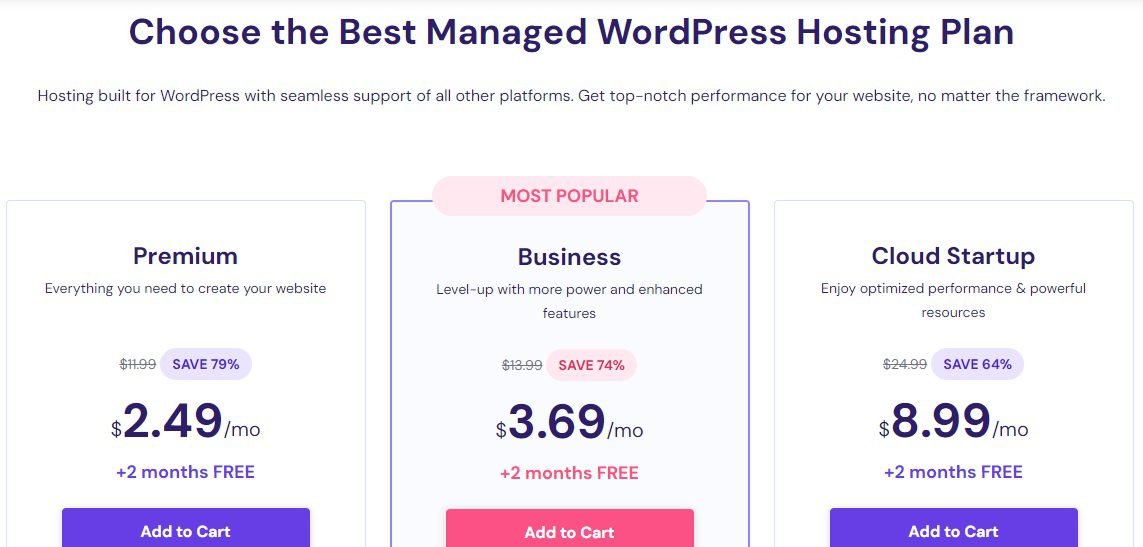
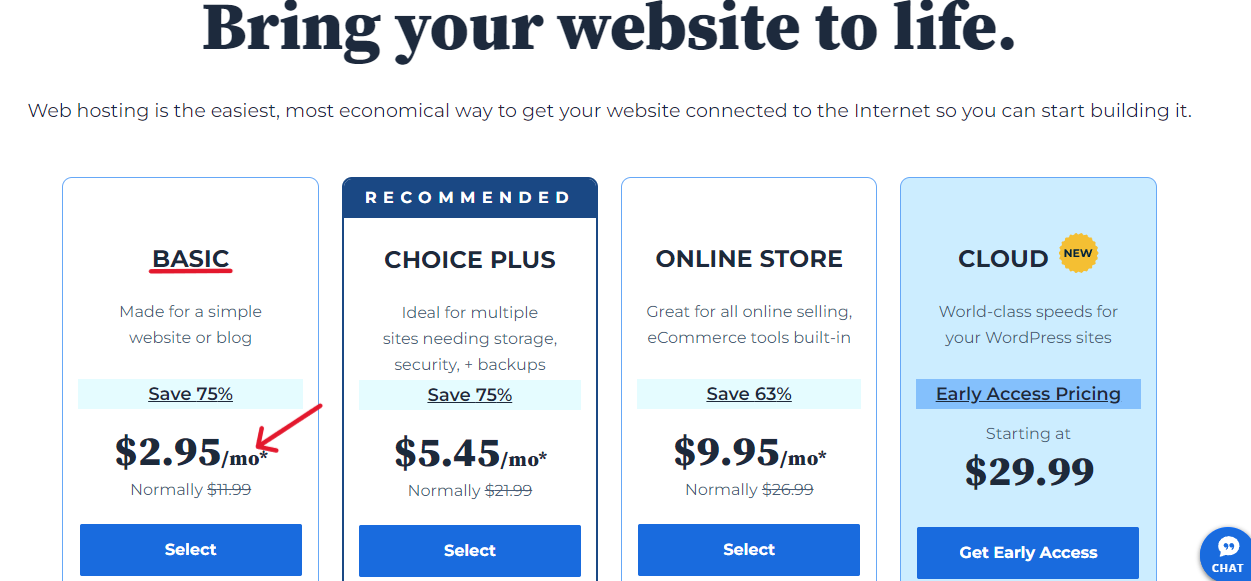
In contrast, with providers like Hostinger and Bluehost, you can create a self-hosted WordPress.org site for as low as $2.99 or $2.95 per month, respectively.
This option grants you with access to all available free and paid WordPress themes, and you have complete control over your website’s design and functionality.
So, if you want a website that allows you to install and customize any theme you desire right from the outset, you should opt for a self-hosted WordPress site.
Keeping this in mind, here are 11 features to consider when searching for the perfect theme—whether free or paid—regardless of your niche or the type of website you’re building.
11 Qualities Of A Top-Notch WordPress Theme
1. A Good Theme Comes With A Simple, Clean Design
Simplicity is the watchword here.
When selecting a WordPress theme, prioritize elegance and simplicity.
Look for themes with clean designs, simple color palettes, and user-friendly layouts that enhance your content and improve user experience.
Avoid overly flashy themes, as they can be misleading.
Many developers incorporate excessive features and complex designs to attract users, often including critical functionalities that should be added through plugins.
Although they may look appealing, they often have cluttered designs that can slow down your site, confuse visitors, and complicate navigation.
This can lead to increased bounce rates, loss of traffic, and damage to your reputation and revenue.
Instead of complementing your content, these flashy themes often overshadow it.
Once you install such themes, you may find it challenging to switch away from them.
Choose a theme that enhances the readability of your content rather than obstructing it.
Look for a WordPress theme with a minimalist design, readable fonts, and a limited color palette.
Fortunately, you can preview any WordPress theme before making a decision. Simply click on the theme you want to evaluate, and the preview option will come up.
In summary, select a theme that is simple and beautiful, making it easy for even the most non-technical users to navigate your site and access the content they need.
2. A Good Theme Displays Well On Different Devices and Screen Sizes
Mobile-friendliness is the watchword here.
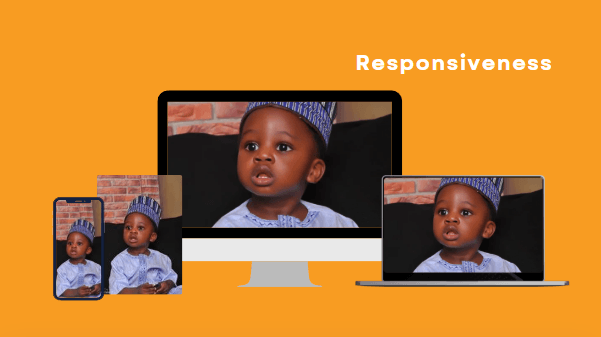
A well-designed theme should look great on mobile devices, just as it does on desktops and tablets, ensuring that visitors have a consistent user experience across all platforms.
Statistics show that, globally, more people access the internet via smartphones than through any other device (Statcounter).
Therefore, it is likely that you will receive more traffic from mobile phones than from other devices.
That’s why Google uses the mobile version of a website’s content to rank its pages and display snippets in search results.
In line with their mobile-first indexing best practices, Google strongly recommends you make your site mobile-friendly.
A mobile-friendly site allows users to read your content easily without making adjustments.
A non-friendly site, on the other hand, requires users to double-tap, pinch, or zoom to view the content. This can frustrate users and make them abandon your site.
To provide a great user experience, choose a mobile-friendly theme with a good responsive design.
This ensures each of your pages uses the same URL and code across all devices – desktop, tablet, or smartphone—and displays perfectly on various display sizes.
By implementing a responsive design, you’ll save time and resources on maintenance, as you’ll only need one page for each piece of content.
Additionally, this can enhance your rankings, increase site traffic, and boost your earnings.
A quality responsive theme allows users on nearly all mobile devices to access the full functionality of your site.
It’s important to avoid themes that claim to be responsive but fail to function well on all devices, particularly on mobile.
You can evaluate how a theme adapts to different devices and screen sizes with your browser window.
Simply click the ‘Live Preview’ button to open the theme’s demo site, and then select various device settings to check if the theme displays correctly.
3. A Quality Theme Is Compatible With All The Popular Browsers
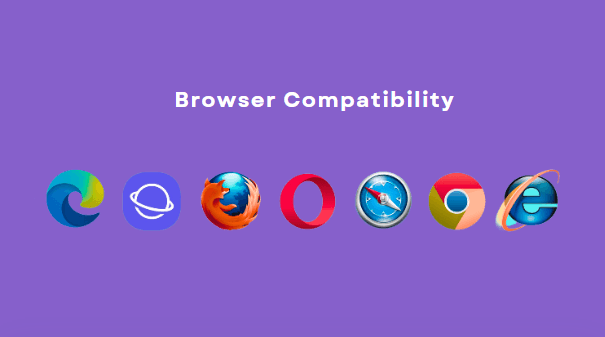
Visitors access your website using a variety of devices and multiple browsers.
The most popular web browsers globally include Google Chrome, Safari, Opera, Firefox, Microsoft Edge, Internet Explorer, and Samsung Internet.
While the W3 Consortium sets common standards and regulations for all browsers, each browser interprets and displays HTML code slightly differently.
Additionally, different versions of the same browser can render HTML differently.
A low-quality theme may appear fine in some browsers but may not render correctly in others.
If your theme fails to display properly in any browser (or version), you risk losing traffic from that source.
Therefore, it’s essential to choose a high-quality theme that is responsive and compatible with all major browsers and their versions.
Developers of reputable themes typically confirm on their websites that their products display optimally across all available browsers.
However, it’s wise to take the initiative and test your chosen theme on these popular browsers.
It’s better to be sure than to overlook potential issues.
4. A Good Theme Has A Clean And Well-Formatted Code
Search-engine friendliness is the watchword here.
A quality theme features clean, well-organized code that is search engine-friendly.
An SEO-optimized theme ensures your site loads quickly and securely, ultimately helping it rank higher in organic search results.
In contrast, many good-looking themes do not prioritize search engine optimization.
Often, their developers focus more on aesthetics than on creating lightweight code with clean formatting.
A theme with excessive colors can add unnecessary weight, complicate its HTML structure, and negatively impact performance.
Unfortunately, unless you know how to read code, it can be difficult to determine which themes have clean HTML and are SEO-ready.
Fortunately, most developers clearly indicate whether their themes are optimized for search engines, so check the theme’s website for this information.
If you can’t find any details about its SEO optimization, the theme’s code may not be optimized.
Additionally, a strong indicator of an SEO-friendly theme is a simple, responsive design.
Such themes are typically easier to optimize with effective SEO plugins like AIOSEO.
5. A Good Theme Is Optimized for Speed
Fast performance is the watchword here.

The internet has become the world’s new fast lane.
Websites and blogs with quick load times are dominating this space because page loading speed is crucial for users and search engines alike.
In fact, it plays a significant role in organic search rankings.
To increase your chances of ranking high in search results, it’s essential to maintain a fast-loading site, along with other important factors.
While speed alone cannot replace high-quality content, it can greatly enhance your site’s rankings.
One major advantage of choosing a lightweight, responsive, and well-formatted WordPress theme is that it improves your website’s page speed performance.
Therefore, it’s advisable to select a theme that is minimalist in design, with simple layouts and clean code.
A lighter theme leads to faster loading times, which ultimately results in better search engine performance.
Conversely, themes overloaded with complex designs, features, and heavy images can negatively impact your site’s performance and loading speeds.
Such sites often rank very low on search engine results—if they appear at all.
To assess whether a theme is lightweight or too heavy, you can use popular website speed tools like Google’s PageSpeed Insights, GTmetrix, or IsItWP.
For a free theme, install it on your site and enter your URL into one of these testing tools. To evaluate a paid theme, enter its demo URL to run the test.
6. A Good Theme Can Be Tailored To Your Specific Needs

A light, responsive, and well-coded theme allows easy customization, enabling you to modify it to fit your style.
While you can find themes ready to use right out of the box, choosing one that offers a high level of customization is essential to creating a unique design for your website.
You can customize any theme using the built-in tool called the ‘WordPress Theme Customizer’ or the customization options provided by the theme itself.
To access the theme customizer interface, simply click on Appearance ≫ Customize in your WordPress dashboard.

In this interface, you can adjust various aspects of the theme, including colors, layout, fonts, header, footer, widgets, and more.

It’s important to keep your design simple.
Most themes allow you to preview your changes in real time as you make them.
If you need more extensive customization options, consider installing a compatible theme builder plugin like SeedProd.
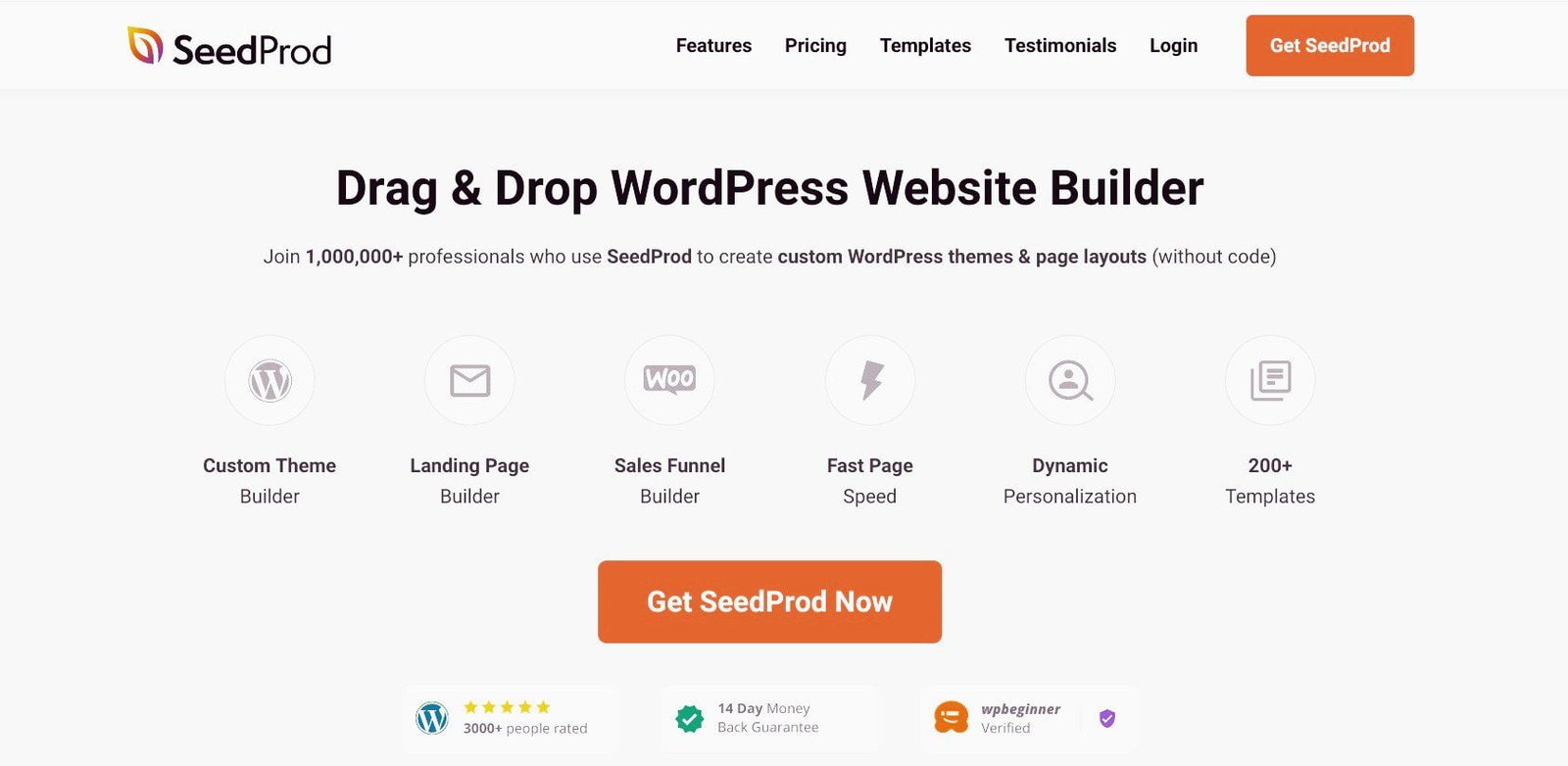
This is the top page builder available in the market.
It features a simple drag-and-drop interface that allows you to add your own custom designs to an existing theme or create a completely new and fully customized theme without any technical expertise.
You can design every aspect of your theme, including the header, footer, widgets, logo, and more.
However, even though no technical knowledge is required, building a new theme from scratch can be time-consuming.
It’s often easier to select a high-quality pre-made theme and customize it to suit your needs, allowing you to get started quickly.
7. A Quality Theme Works In Tandem With WordPress Plugins
Plugin compatibility is the watchword here.
When building a WordPress site, it is best to add the features you need with plugins.
The primary role of your theme is to beautify your site and engagingly present your content to users.
A quality theme should be compatible with popular WordPress plugins you install on your site to enhance its functionality.
So, avoid themes with built-in features that duplicate what you can achieve with plugins. WordPress.org says this may cause issues for your website.
When you change such themes, you could lose access to those features.
For instance, if you create a photography website and utilize the theme’s portfolio feature to showcase your images, all that content will disappear when you switch themes.
This is why it’s advisable to choose a simple theme and use plugins to add essential functionalities.
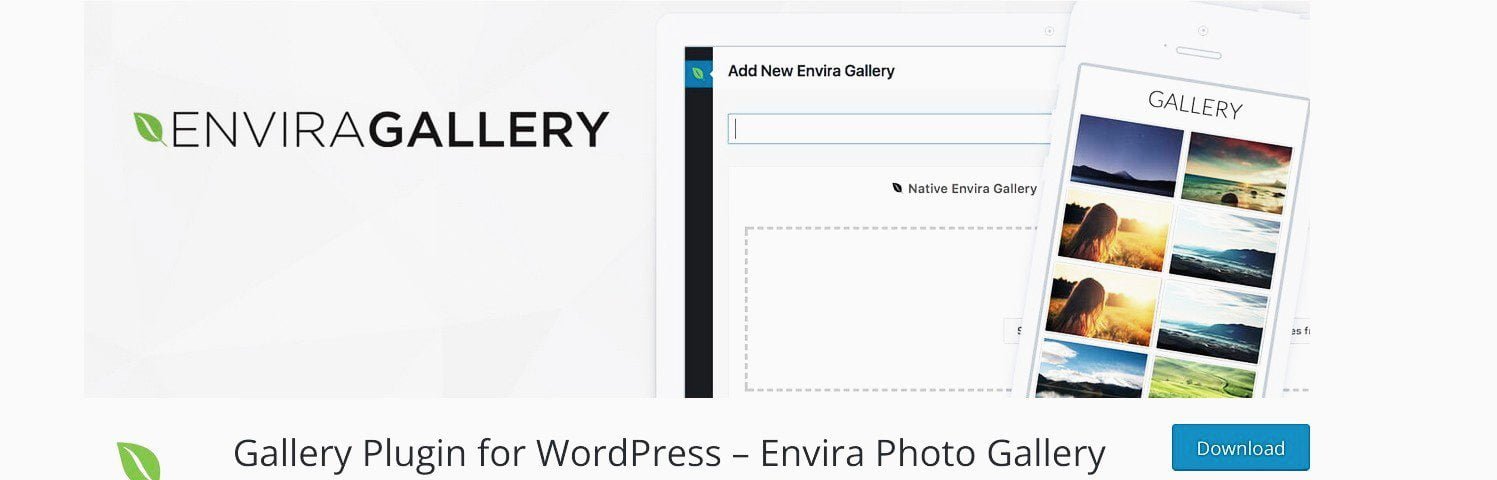
In the case of the photography website, you might consider a plugin like EnviraGallery to display your photos.
By relying on plugins for critical features, you can easily and safely change themes without sacrificing any of your site’s functionalities.
In summary, your theme influences how your content is presented to readers, while plugins control how your site functions.
Both should work together to provide users with an excellent experience.
8. A Good Theme Has A Quick and Friendly Customer Support

If you’ve ever bought a product that had an issue and needed urgent assistance, you would appreciate how valuable timely, empathetic customer support is.
Developers of quality themes understand this and prioritize keeping their customers supported.
They are always available to help with inquiries, from pre-sales questions to billing, technical issues, retention, and more.
Typically, they offer multiple effective channels for support, including knowledge base documentation, phone, email, chat, and social media.
Before choosing a theme, ensure that the developers are responsive to any questions or issues you may encounter.
It’s wise to avoid themes without reliable customer support.
To evaluate their support systems, consider putting them to the test by reaching out with a query to gauge their response time and effectiveness.
Since themes are quite technical, part of your test should be whether the person assisting you is a highly skilled problem solver.
Additionally, empathy is crucial during a crisis situation, so make sure they have that as well.
For free themes, click on the theme in the WordPress.org Themes list to see if the developer offers adequate support to users.
Next, scroll down to View support forum.
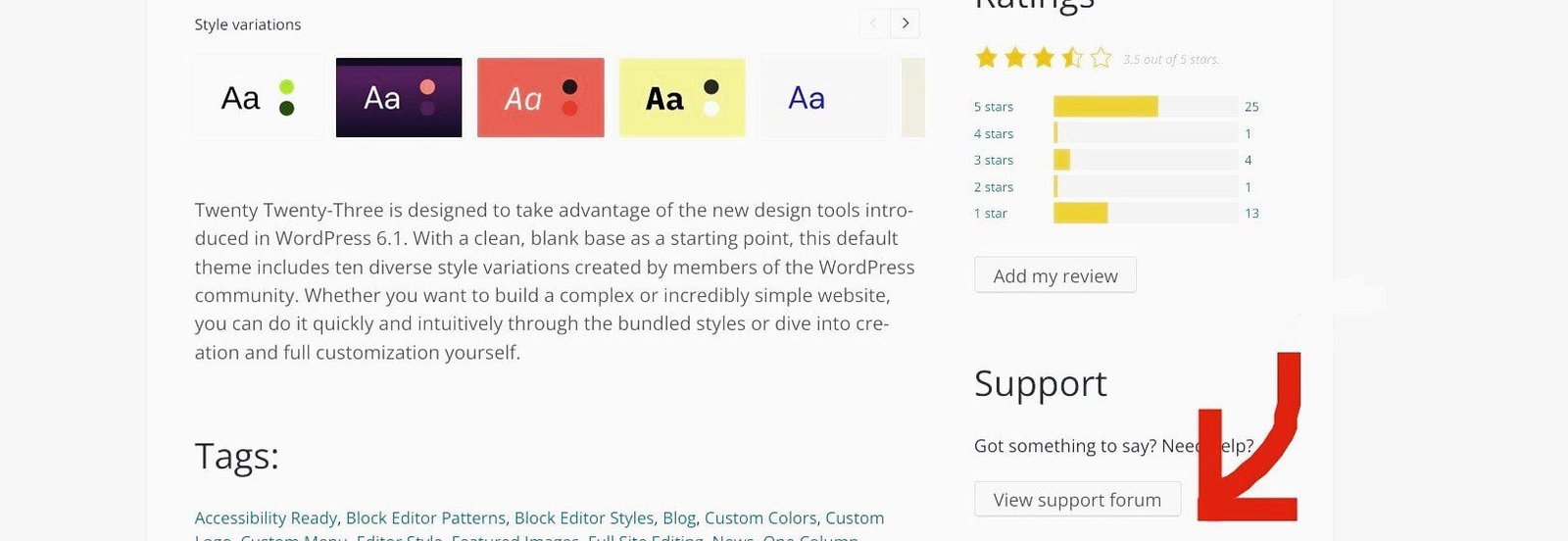
Click on it to access the theme’s Support page.
You can learn more about any free theme by clicking on the Support documentation under the Topic section.
If you have a new question, you can open a support topic for assistance.
Typically, premium themes offer more robust and faster customer support, which is one of the main reasons people choose them.
However, some paid themes provide free short-term support for a month, while others offer lifetime support.
9. A Good Theme Is Constantly Updated To WordPress’ Latest Version

WordPress is a dynamic and free open-source content management system (CMS) that currently powers over 43% of the entire internet.
Due to its popularity, WordPress is a major target for hackers, which is why new versions are released regularly.
Since its launch in 2003, more than 50 versions have been introduced, each offering improved performance, enhanced functionality, and better security.
Once a new version is released, using an outdated version becomes unsafe. Therefore, it’s essential to keep your site updated with the latest version of WordPress.
Additionally, any third-party installations, such as themes and plugins, must also be regularly updated to align with the new versions of WordPress.
Many developers abandon their free themes after release, while others maintain them infrequently or not at all.
It’s crucial to choose a theme that receives regular updates and is compatible with the latest WordPress versions.
To check a theme’s update history, click on any free theme in the WordPress theme directory to see when it was last updated.
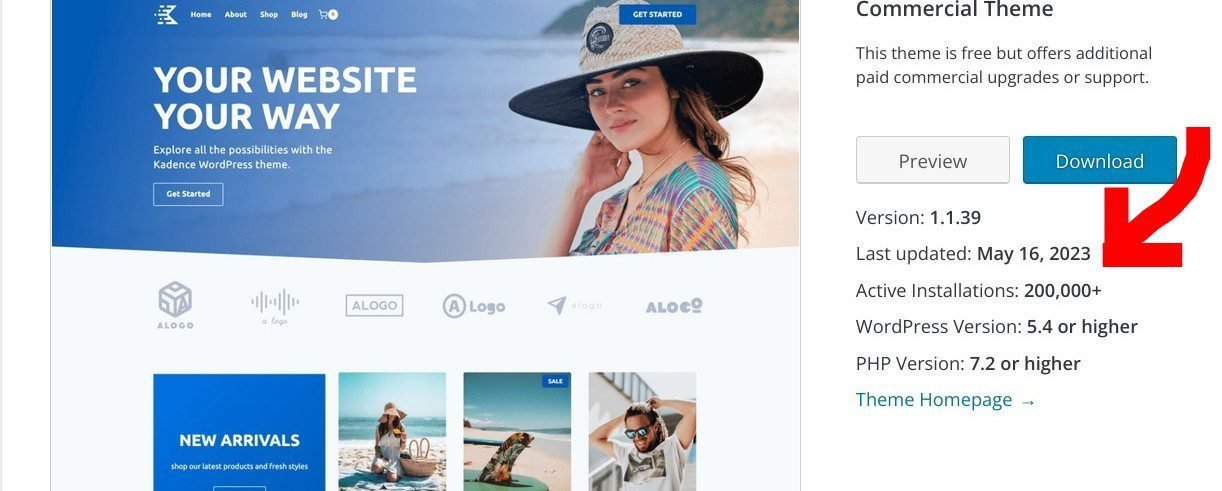
Additionally, review the theme’s update history to determine how frequently it receives updates.
Premium themes often receive more attention because they are a source of income for their developers.
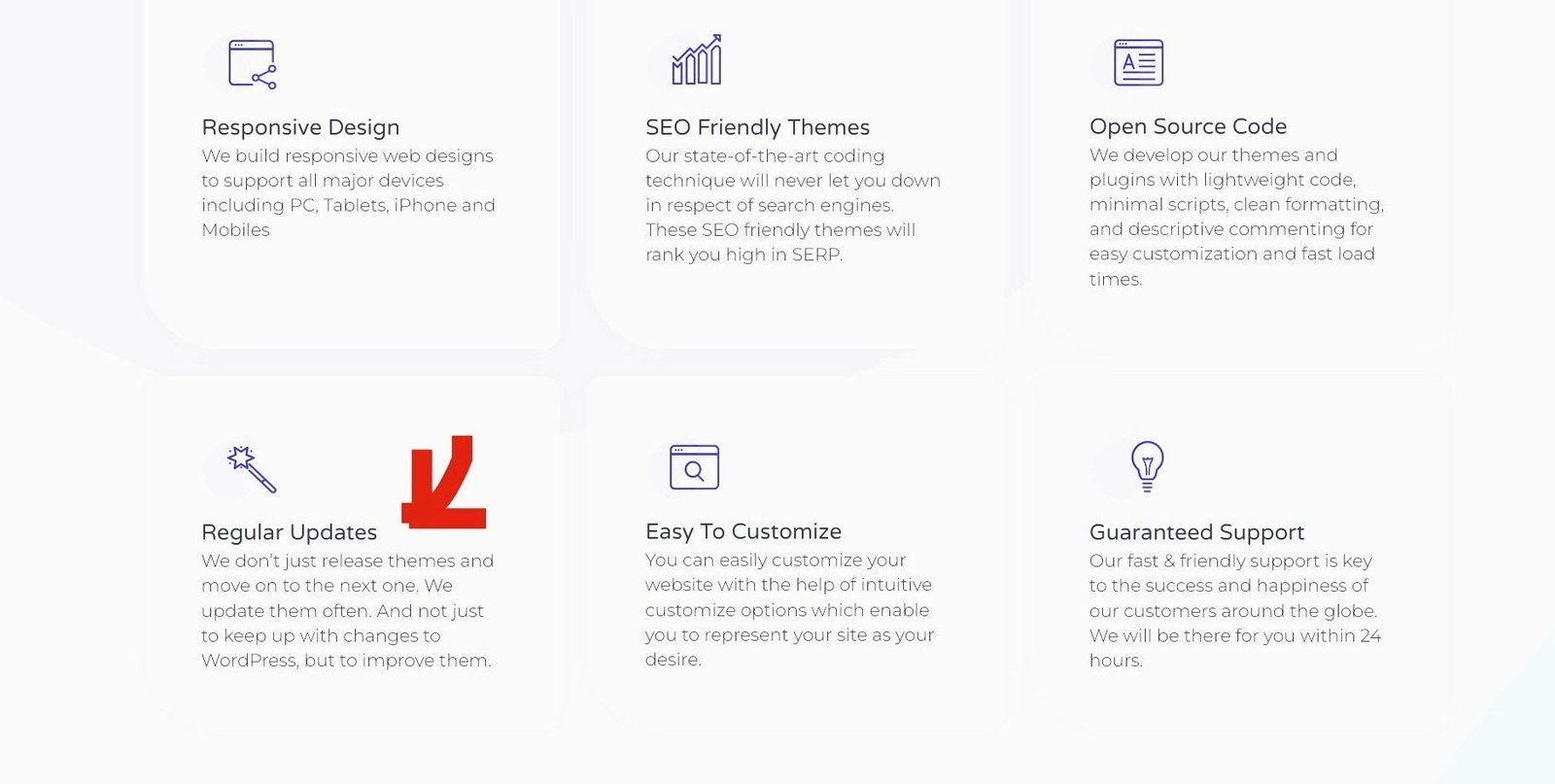
That said, compare the date of the theme’s most recent update with the release date of the latest version of WordPress.
If the theme’s last update does not align with the most recent WordPress version, it may be wise to reconsider your choice, particularly for security reasons.
10. A Quality Theme Has High Ratings And Positive Reviews

One of the best places to scrutinize the performance of any product online is the ratings and reviews page.
These are the scores and comments of buyers who have used the product and their candid assessment of its quality, based on first-hand experience.
Generally, people are more apt to rate and comment on a product if they’re displeased by its performance.
When they’re happy with the quality, many users rarely say anything.
So, when you find a product with high star scores and positive reviews from hundreds and thousands of users, it says two things:
First, it is a tested and trusted product.
Second, there are actually many more happy users than the ones who have rated and commented on the product.
So, you can rely on a theme’s high ratings and positive reviews to make a buying decision.
To check the ratings and reviews of free themes, again, tap on the theme you’re eying in the WordPress.org Theme Repository.
Go to Ratings and click See All to access users’ reviews.
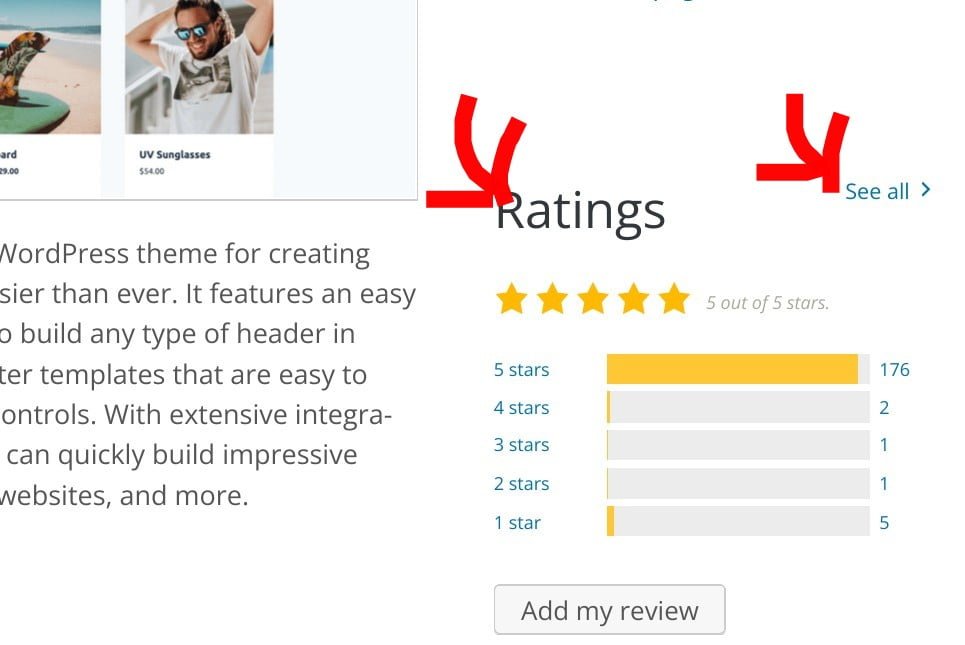
Pick a theme with a high average rating, say 4.9 out of 5 stars.
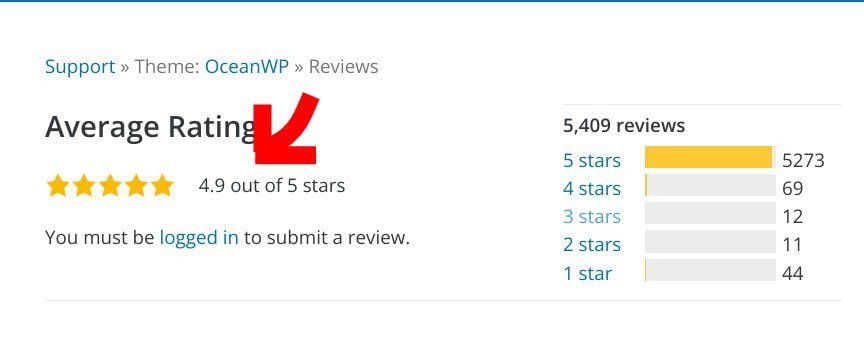
Next, click on 5 Stars to read the actual reviews of users recommending the theme.
You may also want to check people’s comments on the other levels.
For quality premium themes, you’ll find customer testimonials all over their websites – from the homepage to a dedicated ‘Testimonial’ page.
11. A Good Theme Is 100% Translation-Ready And Works Great In Many Languages

Currently, WordPress is available in more than 70 languages.
If you plan to reach different languages with your content, then select a theme that is translation-ready from the get-go, in addition to the above 10 qualities.
Many free WordPress themes are translation-ready and will work well in many languages on any device.
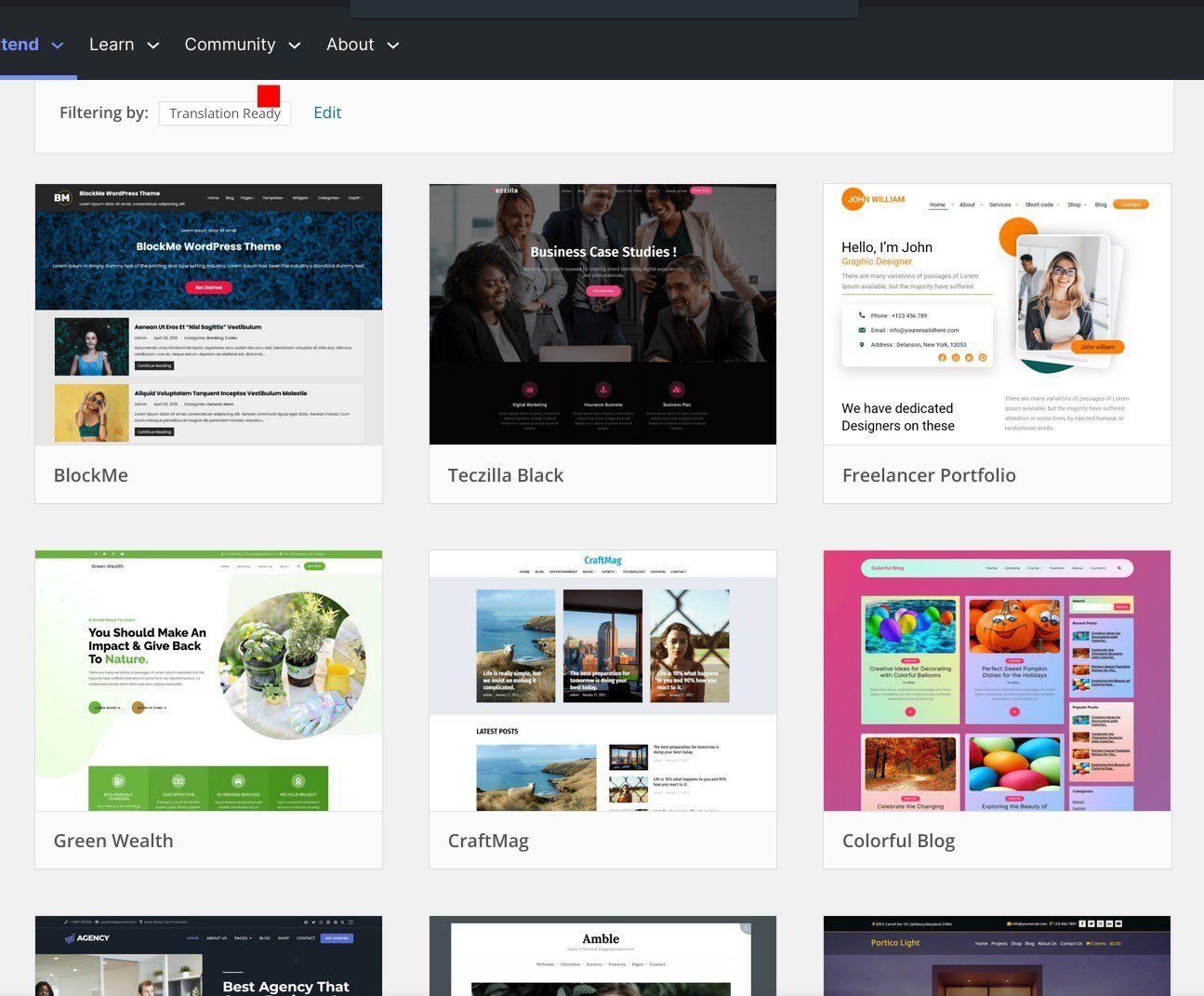
You can also locate free translation-ready themes by clicking Feature Filter on the WordPress.org Theme page.
On the next page, check the checkbox by Translation-Ready under Feature, then click Apply Filters on the top left corner.
This will bring up themes that support the feature.
For paid themes, their developers usually indicate whether the theme is translation-ready on their page. So, you need to visit the theme’s homepage to check.
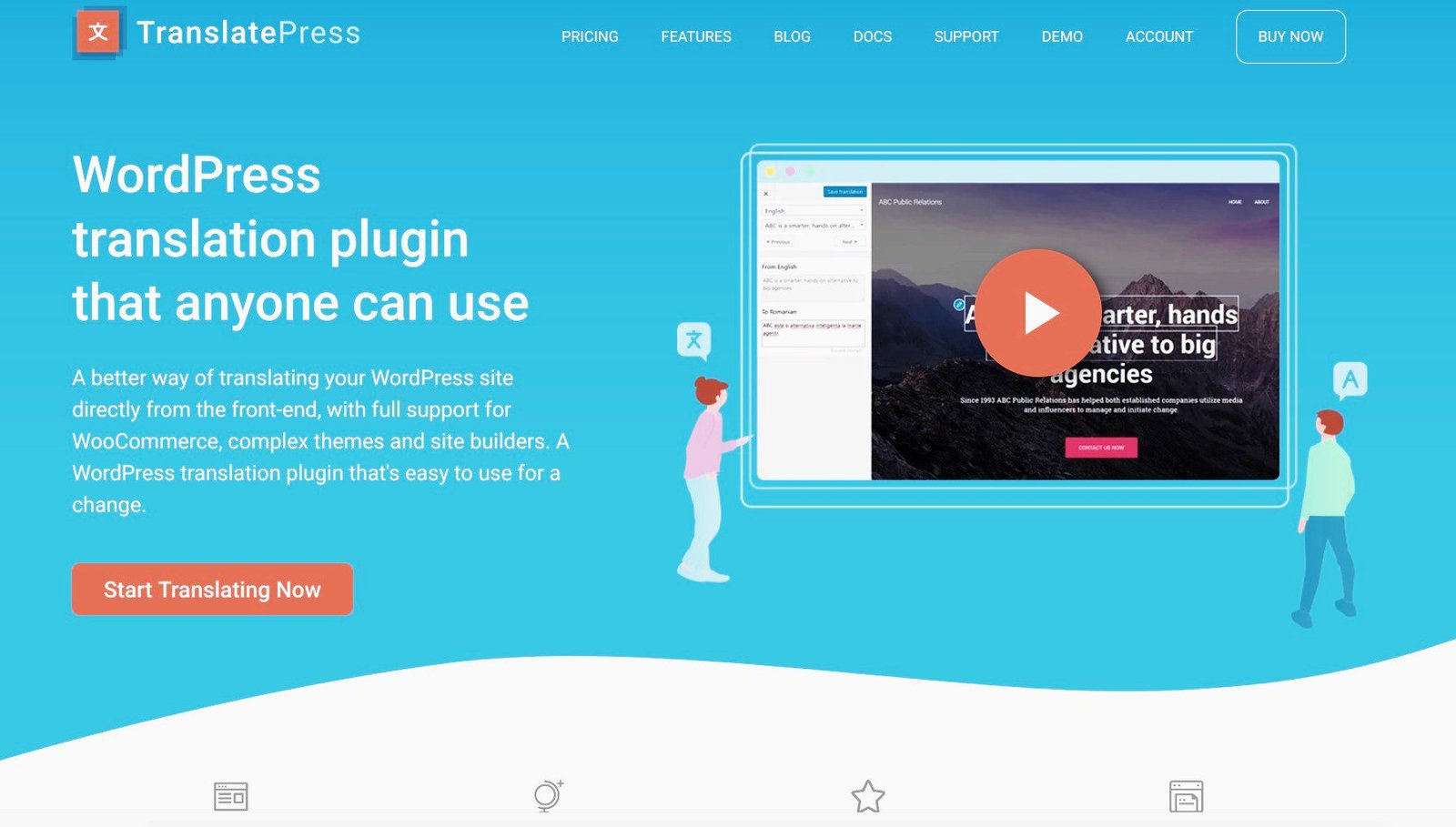
You can easily translate your translation-ready theme (and your WordPress site) into the languages you want with a simple third-party tool like TranslatePress or WPML (and no coding skill is required).
Note: You only need a translation-ready theme if you have plans to translate your content to other languages, or create a website in a particular language.
Otherwise, any theme you find with the first 10 qualities is perfect for your site, if you like it.
Now that we’ve seen the 11 qualities of a perfect theme, let’s see how to narrow down your search from the thousands of free themes endorsed by WordPress.org.
How To Search For Your Perfect Free WordPress Theme
As I said earlier, if you’re on a tight budget, you should consider starting with a good free theme to cut costs.
Then, as your traffic and business grow, you can upgrade to the most suitable premium theme to meet new needs.
There are lots of quality free WordPress themes that you can download to get your site rolling.
Many good themes also have both free and premium versions.
A good example is Astra themes.

It is super light, weighing less than 50KB on the front end. This makes it incredibly fast.
Their free version is one of the most downloaded themes in the WordPress.org Theme Directory. It currently has over 1 million active installs
The paid version, Astra Pro, is also popular.
My site uses Astra Pro, and it works perfectly well for me.
OceanWP is another good example with a free version and a premium version.

You need a simple, clean theme that is close to what you want your site to look like in terms of color, layout, design, and basic features.
You can then customize it to your own unique taste.
In the Theme Customizer, you can choose your favorite colors, pick more readable fonts & typography, create new layouts, add a custom logo, etc.
As I showed you in the 6th quality of a good theme, click Appearance ≫ Customize on the left sidebar of your dashboard, to launch the customizer.
Again, use plugins to add all the critical features you need.
This way, you won’t lose any functionality when you upgrade to a paid theme.
Having said all that, your choice of theme will depend on the type of site you’re building, your niche, your business, and your career goals.
With that knowledge in mind, let’s head over to WordPress Theme Directory to see how to streamline your search to find your perfect theme.
Select A Free WordPress Theme
You can search for free themes using Popular, Latest, Community, Commercial, and Block Themes.
There are presently more than 6,000 Popular and about 1,000 Block themes out of over 12,000 Latest themes.

If you have a general idea of what feel and look you want for your site, you can narrow down your search using the Feature Filter menu.
Once you click it, you’ll brought to a new screen.
Here, you’ll see 3 columns titled Layout, Features, and Subject.

There are 9 broad niches under Subject. Check the box that fits your niche.
Then, check the boxes under Layout and Features for the look and feel you want your theme to have.
Once satisfied with your picks, click on Apply Filters at the top left. This will bring up themes that fit those specifications.
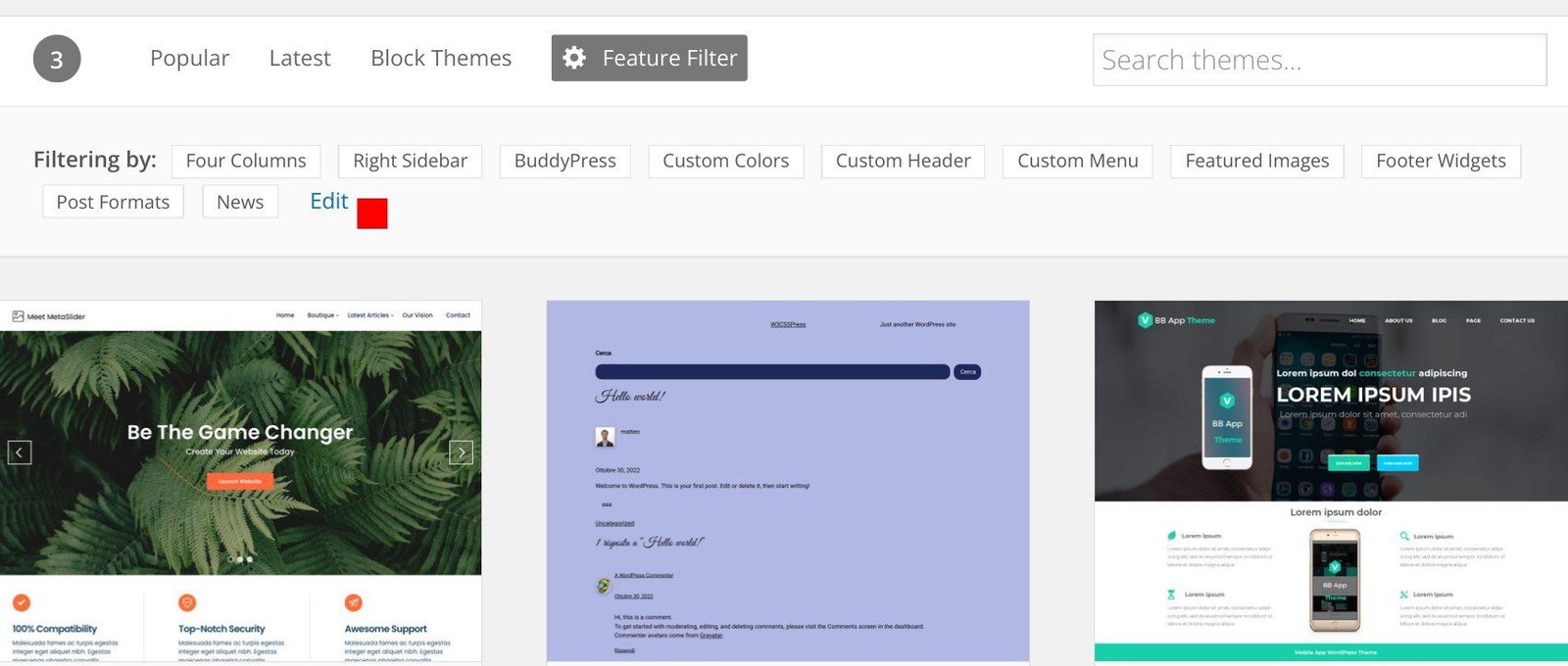
You can change the filters using the Edit tab to bring up new themes.
To view more themes, use the Clear button to uncheck all the boxes. Repeat the process until you find what you think is right for you.
If you already have the name of the specific theme you want, simply type it into the “Search themes” box at the top right-hand corner of your screen.
If you like a theme’s thumbnail, click on it to learn more about it.
Check for all the qualities of a good theme that we’ve talked about in this article.
If it checks all the boxes, you have found yourself a perfect theme.
Install Your Free WordPress Theme
To browse and install free themes on your WordPress dashboard, click Appearance ≫ Themes on the left sidebar.
Then enter the name into the Search themes field, and click the Install button once it comes up.
When it is fully installed, click on the Activate button.
Once activated on your site, you can customize it to your taste (as I explained in Step 5).
How To Search For The Best Premium Theme
Although you’re not compelled to, if you choose a WordPress theme with free and paid versions, you could simply scale to the premium version.
If the free version has a simple, clean design, the paid version will likely have the same well-organized code.
However, if you don’t want the Pro version, you can always switch to any other premium theme you like.
You can begin your search for the right premium theme by looking at some paid themes recommended by WordPress.org Themes.
Click on Commercial Themes at the top right corner to view some of the premium themes recommended by WordPress.org.
You can also find dozens and hundreds of paid themes in marketplaces like ThemeForest, Themify, and many others.
Again, look for the 11 qualities of a good theme I shared in this post, before making your choice.
Also, the number of active downloads a theme has is a testimonial to its quality.
Good themes generally cost between $20 and $250, usually a one-time purchase.
Install Your Premium WordPress Theme
After you pay for a premium theme, you’ll be allowed to download the .zip file from the seller’s website which you’ll upload to your WordPress account.
To do so, click Appearance ≫ Themes ≫ Add New.
Then on the Add Themes page, click Upload Theme ≫ Choose file ≫ Install Now.
Once your theme is installed successfully, click Activate to use it as the face of your website.
Frequently Asked Questions (FAQs)
Below are some frequently asked questions on how to choose the perfect WordPress theme for your site you may find helpful.
Which WordPress theme is best for beginners?
When you’re starting out, your best theme is the one that fits your website’s needs, your niche, your business goals, and your purse.
First, don’t take on too much financial burden in the beginning. Start small and grow your site.
One of the beautiful things about blogging is that there are very good free tools to help you get your site off the ground.
Second, look for a free theme in your niche with all the above good qualities, before you begin your blogging journey.
If you still want a tip, you may want to look at some popular themes like Astra and OceanWP, if anyone fits your goals.
Do I need a WordPress theme?
If you’re building a WordPress site, yes, you do.
Even by default, every WordPress site comes with a minimalist theme.
Apart from beautifying your site, your theme is responsible for the presentation of your content to your visitors and users.
It also helps them navigate your site easily to find any content they want to read.
How do I choose a theme for my website?
You should choose a theme that has a simple design, is responsive on all devices, is compatible with popular browsers, loads pretty fast, is frequently updated, and works well with plugins, among other qualities.
Whether you want to choose a free or paid theme for your blog or business website, look for all the 11 qualities of a good theme.
That said, you can also create a custom theme using a theme builder like SeedProd or Divi.
Conclusion
Finding the right theme is critical to your online success.
However, selecting the perfect theme shouldn’t take forever.
Cut through the confusion with this guide, and pick the right theme that complements your content.
Running on a low budget? Choose a good free WordPress theme to quickly get your site started.
When your site begins to gain traction and make money, you can then scale to the best premium theme for you.
Alright! There you have it– how to choose a good theme: 11 qualities to look for.
I hope this article has helped you learn how to select the theme that is perfect for you.
You may also want to read my post on how to choose your perfect niche before you settle down to blog about your topic.
Then, you want to look at how to start a blog and make money online and 27 simple SEO best practices you should follow.
If you like this article, please help me spread the word among your friends. Thank you!