
Last updated on April 25th, 2025 by Kenneth Ojeisekhoba
OXERBLOG > BLOG > WHAT IS THE COST OF BUILDING A NEW WEBSITE
Disclosure: Oxerblog relies on its readers’ support through referral links. I may earn a commission from some of these links, at no additional cost to you.
If you’re just starting out, you may be curious about the cost of building a new website today.
The costs associated with launching a new self-hosted site can vary significantly from one website to another.
Generally, websites can be categorized into four main groups: blogs, business websites, online stores, and eCommerce marketplaces.
Consequently, the cost of a simple blog will differ from that of a small business website, and more advanced sites with additional features will typically be much more expensive.
Similarly, the costs associated with an online store or marketplace can differ greatly.
Several factors influence the overall cost of building a new website, including your budget, the tools you choose to use, who will be constructing the site, and the specific features you decide to implement.
Ultimately, the final cost will reflect your choices regarding these components.
In this comprehensive guide, I will outline the current prices of essential tools required for each of the four typical types of websites and discuss the maintenance costs associated with each category.
No matter where you are, creating a website requires the same essential tools and processes.
For instance, starting an online store involves the same resources and steps regardless of location.
So, this guide will help you understand the costs associated with launching a new website.
I also highly recommend using quality tools from the beginning, as this approach tends to be more cost-effective in the long run.
Below is a table of contents to help you quickly find the sections of the article that interest you:
Table of Contents
▪ What Are The Options Available to Build a New Website?
▪ What Are The Startup Costs to Make a New Website?
▪ Different Types of Web Hosting and their Current Prices
▪ What Is The Current Cost Estimate for a New Website?
▪ What Is the Cost of Building A New Website?
▪ What Is the Cost of Building A Simple Self-Hosted Website?
▪ What Is the Cost of Building A Small Business Website?
▪ What Is the Cost of Building An Advanced Website?
▪ What Is the Cost of Buiding An Online Store?
▪ What Is the Cost of Buiding An ECommerce Marketplace?
▪ How to Keep Your Costs Within the Limits of Your Budget?
▪ Frequently Asked Questions (FAQs)
Let’s set the ball rolling.
How much Does it Cost to Make A New Website In 2025?
Before analyzing the costs of the core features for various website groups, let’s first explore the options available for building a new website.
What Are The Options Available to Build a New Website?
There are basically three routes you can take to make a new website.
Below are the 3 popular options, from the priciest to the most affordable.
Use a Web Development Company
Hiring a web agency is the most expensive of the 3 options.
In an agency, professional web designers, marketers, content creators, etc. pool their expertise and experience to build customized websites.
So these agencies have to pay salaries of the array of experts on their payroll and still make a profit.
This is why they are pretty expensive, usually outside the price range of small business owners and beginners.
So, depending on the features and functionalities you want on your website, the cost can start from hundreds to tens of thousands of dollars.
Now, that’s very pricey for a small business owner or a new blogger who wants to make money online from their website.
Sometimes, after paying a significant amount to a top web development agency, some agencies may assign your project to inexperienced hires or outsource it.
Many agencies also offer maintenance services such as managing and updating your site, monitoring analytics, etc. at steep additional costs.
Engage a Freelance Web Developer
Professional web developers work independently as freelancers to create customized websites, from design to content to launch.
They are a more popular choice than web development companies for beginners and small businesses because they are significantly cheaper.
Typically, their rates are more competitive than those of web agencies.
If you choose to hire someone to build your website, consider working with a freelance web developer.
Everywhere, their prices range between $20 and $250 per hour.
They usually will charge you based on their experience and the project size, including, sometimes, an upfront fee to book their time.
In any case, you want to hire a great web developer whose charges are very reasonable.
You can find good freelance web developers on job marketplaces like UpWork, and Fiverr, among others.
Very importantly, you should do a thorough check before you hire anyone.
Start by checking their profile. Find out about their expertise, experience, charges, etc.
Do It Yourself (DIY)
This option is the most competitive and cost-efficient.
You can build a fully functioning DIY website for less than $100.
Thanks to beginner-friendly and budget-friendly platforms like WordPress, Drupal, Wix, Squarespace, etc., anyone can easily build DIY websites by themselves, and customize them as they like.
One major benefit of doing it yourself is that you can keep costs to a minimum.
When you’re just starting out, you really don’t need a big and expensive website.
You can start small with the essential features that your website needs to function.
And as your site grows, you can scale and add more advanced features, as the needs arise.
Most importantly, with the DIY option, you have full control over the whole process – from choosing a web host to customization.
Having said that, you do not want to compromise on quality. Again, using quality tools from the start is cost-effective in the long run.
I’ve written a very detailed, easy–to–follow guide on how to create a new blog that makes money.
You will find it helpful when you want to set up your site.
Next, let’s see the tools you’ll need to build a website and how much each costs, on average, at this time.
What Are The Startup Costs to Make a New Website?
You can design a fully functional site from scratch even if you’re a beginner.
It is more cost-effective if you’re making a website for your small business, or as your online business (if you want to make money as a blogger).
Generally, every website needs 3 basic startup costs to make it.
▪ Domain name
▪ Web hosting
▪ Website builder or CMS (content management system)
Domain Name
You’d need to purchase a domain name for your site.
Your domain name doubles as the name and address of your website on the internet. For example, amazon.com, oxerblog.com.
This is the name people will know your site by, and the address they will use to locate and access it from their browsers.
So, you’ll want to choose a catchy domain name for your site.
To be able to use a domain name, you have to register it with a domain name registrar.
On average, you can register a domain for about $15 for one year.
But if you’re starting your blog right now, you can register it for free for the first year. I’ll show you how later.
However, if you want to continue with it, you’ll need to renew your registration, year after year, for as long as you want to keep the name.
The year that you don’t renew it, the domain name will expire.
At that stage, someone else can buy it.
Note: Registering a domain is termed “buying (or purchasing)” a domain, but you can only “buy” it for a year; you cannot buy it for keeps.
Web Hosting
You’d need to purchase web hosting for your website. This is where your website will live on the web.
Every website needs a secure home on the Internet – an online server where its content and data can be stored and easily accessed by genuine browsers while protected from hackers.
Web hosting is usually provided by online companies known as web hosts, and they offer various types, from free to specialized plans.
Normally, premium web hosting starts from $10 (average) a month. But I’ll show you later how you can get an introductory discount for the first term.
Again, web hosts provide the technology and logistics of getting websites of all kinds online, and accessing them 24/7.
Some perform excellently well, while so many nod off.
So it is important, therefore, that you choose one of the best web hosts and a hosting plan that is right for you.
The web hosting you choose will depend on the type and size of your website.
More importantly, if you want to build a robust website, you want to avoid using a free hosting plan. Because they’ll limit you in every way.
To learn more, you should see my article on the difference between a free WordPress site and a self-hosted website.
At the very least, I recommend you start with Shared hosting. It is a low-budget plan and a good option for startups.
Under this plan, you’ll share space with several other websites; hence its name.
As your site grows and draws in more traffic, you can move to more robust hosting options.
Note: The best web hosting for your website is the one that best suits your needs per time.
With that, let’s look at different types of hosting servers and their current prices.
Different Types of Web Hosting and Their Current Prices
Shared Hosting
This is the most affordable option on the market. Your site shares server resources with others, which keeps costs low.
However, it can lead to slower performance if neighboring sites use up resources. It is best for new or small sites with limited traffic.
Web hosts provide this affordable service to encourage beginners to create websites and easily get online.
Most reliable web hosts give big discounts on hosting for the first term.
You can get up to 70% discount for shared hosting from some web hosting companies.
Again, under this arrangement, many new and small websites share a space on a server.
It is like sharing a room in a house, hence its name − Shared hosting.
However, it comes with its own risks and challenges.
First, all the sites share the resources allocated to that space.
Second, if a website is infected with a virus or malware, it could affect others.
Third, you’re responsible for your own security and day-to-day running of your site.
However, an upside is the pricing. Shared hosting can cost as little as $2.50 a month.
On the average, it costs about $3 per month.
VPS Hosting
VPS (Virtual Private Server) gives you a dedicated portion (and resources) of a shared server. It is like having a self-contained room in a rented house.
So here, there is less competition for available resources on the server.
It is an upgrade for growing sites that are beginning to attract more traffic.
However, like in shared hosting, you are responsible for the security and maintenance of your site, and to some extent, the server.
VPS hosting costs between $2.50 and $18.90 per month (depending on the features).
Dedicated Server Hosting
This is a more secure option than the first two.
As the name suggests, you are assigned an entire server for your exclusive use. So you own all the resources allocated to the server, which enables your website to operate at peak performance.
However, you are responsible for maintaining and updating your server’s hardware, software, and security.
This is a great choice once your website starts to get a high volume of traffic.
The cost of dedicated server hosting starts from $79.50 a month.
Managed Hosting
In a managed hosting setup, your web host manages virtually all aspects of your hosting environment.
They take care of the maintenance and security of your server as well as the day-to-day running of your site including updates and site performance, while you focus fully on creating content and setting up your website.
Quality managed hosting starts from $50 per month.
WordPress Hosting
Due to its increasing popularity, numerous hosting providers now offer specialized hosting options that cater specifically to WordPress.
These tailored services are aimed at users who want to build and efficiently manage WordPress sites.
The main types of hosting available include Shared WordPress Hosting, VPS WordPress Hosting, Dedicated WordPress Hosting, and Managed WordPress Hosting.
These optimized solutions can significantly enhance both the performance and security of your WordPress website, giving you peace of mind and allowing you to focus on your content.
Now you know the various types of web hosting and their costs, let’s choose a good website builder.
Website Builder (or CMS)
To create a website, beautify it, and make it functional, you’ll need a website builder or content management system.
Indeed, both beginners and experienced web developers need a website builder to make websites.
Again, it doesn’t matter your experience, you can build a gorgeous website by yourself with a good website builder.
Website builders like Wix, Squarespace, Weebly, and Shopify, among others, let you create amazing websites.
Some of them make use of templates, while others come with drag-and-drop interfaces.
Having said that, of all the website builders available, WordPress remains the most popular choice today globally.
It currently powers more than 43% of all the websites globally.
There is nothing else like it in the world.
It gives you unlimited freedom and space to create truly a one-of-a-kind website.
So you have 100% control over your website − from design to functionality to income.
What’s more, it is completely free to use.
However, you need to buy a domain name and web hosting before you can use it. That’s why it is nicknamed “self-hosted WordPress”.
Thankfully, you can get both in Bluehost’s exclusive offer to my readers – a 75% discount on web hosting for the initial term and a free domain for the first year.
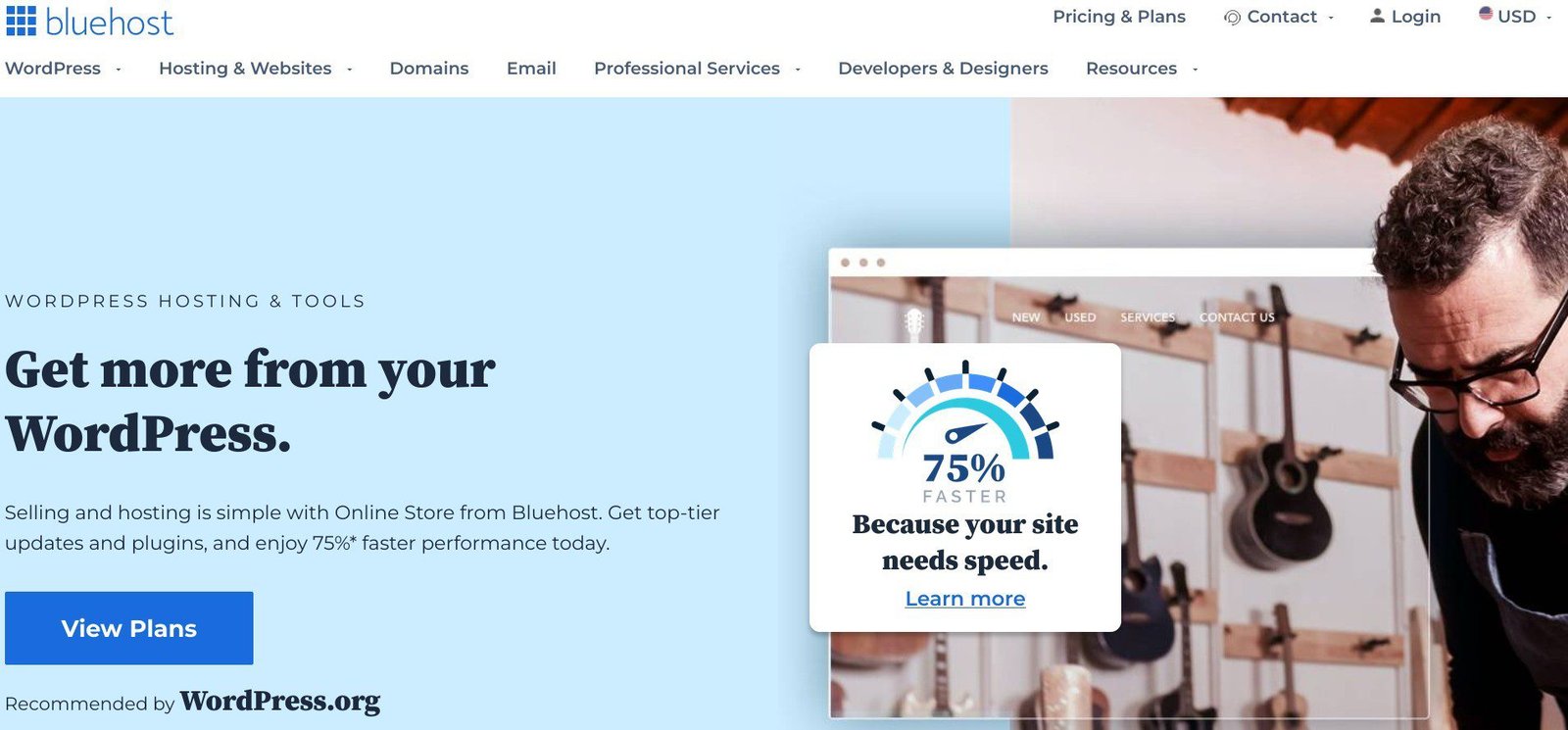
Building your website with self-hosted WordPress gives you access to tens of thousands of free and paid plugins and themes that you can choose from to create a never-before-seen site.
Very importantly too, WordPress.org is the best option if you want to be your own boss and make good money online.
Another huge plus is that it is easily scalable.
So, you can start small with only the basic features you need initially, and scale your website as your traffic grows and new needs emerge.
That way, you won’t incur any unnecessary costs at any stage.
What Is the Current Cost Estimate for A New Website?
A current cost estimate is a close approximation of how much is needed to build a website at this time.
A cost estimate helps you to produce a reasonable budget for your website, based on your goals.
It is important to estimate the current cost accurately so you can select the best route to build the website you want.
Also, accurate cost estimating helps you manage your budget better.
Below is a cheat sheet of 4 critical questions you need to answer to help you clarify your goals and streamline the building process for your website.
▸ What is the size of your budget for your new website?
▸ What are the must-have features your website needs to take off?
▸ What are the essential features that you can get for free?
▸ What are the premium features that you need to buy?
What Is Your Budget-Size for Your New Website?
So what’s the budget ceiling for your new website?
If you’re a small business owner or a new blogger who wants to make money online from their website, it makes good economic sense to cap how much you want to spend on the entire building process.
This will prevent you from overspending and incurring completely unnecessary costs.
It will also help you to prioritize your needs over your wants.
There are several good features you’ll want on your website, but won’t be needing from the get-go.
So when you set an overall budget ceiling of a specific amount, it helps you focus on your website’s bare-bones constructions.
However, your budget must be realistic to cover all the essential components your website needs to get started.
And you don’t want to create a budget limit based on overly optimistic revenue projections.
Because if the monies do not come as expected, it will stall the building process.
What Are the Must-Have Features Your Website Needs to Take-Off?
Websites are highly customizable, and so every website is unique.
Again, you don’t have to install all the functionality you want on your website to get it up and running.
That said, there are some basic features that are must-have and so, are critical to the success of all websites, regardless of industry or niche.
So, this is what you should do.
To the best of your knowledge, make a checklist of all the features your website will ever need.
Then, check the boxes of the essential ones it needs to get started.
Next, find out the best tools on the market for each, whether free or paid.
This whole exercise is to help you prune the number of items so you can concentrate on the basic features that are vital to getting your website up and running.
Very importantly too, it will guide you to select the best tools within your budget.
Note: At the early stage, you don’t need many of the features already-established websites in your niche have.
Because your website won’t attract many visitors yet like these sites in the beginning. (More on this later).
(If you don’t know what your website will need to get it rolling, and the best tools in the market, don’t worry, I’ve got you covered).
What Are the Essential Features That You Can Get for Free?
Again, one of the pluses of building a website with WordPress is the number of plugins and themes you can access for free – about 60,000 plugins and 2,000 themes.
It is simply mind-boggling.
These free tools are designed to help get any website up and running at no cost.
Someone may say: “With these free tools, I don’t need to spend a dime on building or scaling my website, except on hosting.”
While I encourage you to build your website as cost-effectively as possible using free tools, it won’t be a good idea to continue to use them as your traffic grows.
Because you’ll need more robust features to meet your site’s evolving needs.
Typically, plugin developers create free and premium versions of their products.
The free version is usually created with limited features to encourage you to upgrade to the premium version with more advanced features.
To put it in another way, free versions are simply a foretaste of the premium versions.
So, if you build your website using only free versions of the tools you need and do not scale when the need arises, you’ll limit its growth, or worse still, it could crash due to overload.
What Are the Premium Features That You Need to Buy?
Again, for a typical website or blog, you most likely won’t need to purchase a paid feature, from the get-go, other than web hosting.
But to build a small website for your business, you’ll need to buy a few premium features to give it the basic functionality it needs very early on.
Likewise, if you want to start an online store or marketplace, you definitely will need some paid features from the very start.
So, depending on the type of website you want to build, you’ll need to buy some premium features that are essential for its smooth running from the beginning.
Free plugins won’t do the job for you; so the least you can start with is the basic plan of the paid version.
Luckily, most creators offer free trials of their premium versions with money-back guarantees.
So you get to test the tool to see how it works before you make a final commitment.
Now, with these 4 critical questions at the back of our minds, let’s see how much exactly it costs to build a new website.
Let’s put a figure on it based on current prices.
What Is the Cost of Buiding A New Website?
All websites are different based on their unique purpose and focus.
However, by and large, websites can be grouped into four categories based on having similar or the same features. So, they’re either:
▹ A blog
▹ A website
▹ An online store, or
▹ An eCommerce marketplace
Blogs and websites pretty much have the same technical setup. And so do eCommerce store and online marketplace
Based on this understanding, I have divided them into the following categories for costing purposes only.
The essential features of a small business website are in-between, so it stands alone.
Again, these are estimates for basic features only; the final cost of your website will depend on the add-ons you eventually use.
So:
How Much Does a Simple Website Currently Cost?
How Much Does a Small Business Website Currently Cost?
How Much Does an Advanced Website Currently Cost?
How Much Does an eCommerce Store Currently Cost?
Let’s analyze their costs in detail one after the other.
What Is the Cost of Building A Bare-Bones New Website?
A basic website is a low-budget website.
Whether you want to build a blog-based website or a niche website, this is where it all begins.
If you’re using WordPress (as I recommended earlier), you’ll need to purchase a domain name and web hosting.
Again, I suggest that you start with Shared hosting.
So you can set your budget limit at $90, and here is why.
Normally, a domain name costs about $15 a year, and web hosting costs $12 monthly (billed yearly).
Both will amount to about $159 for a year.
However, the good news is that Bluehost is offering web hosting at discounted prices for the initial term.
You can start with their Basic plan. It is only $2.95 a month, plus a free domain name for one year.
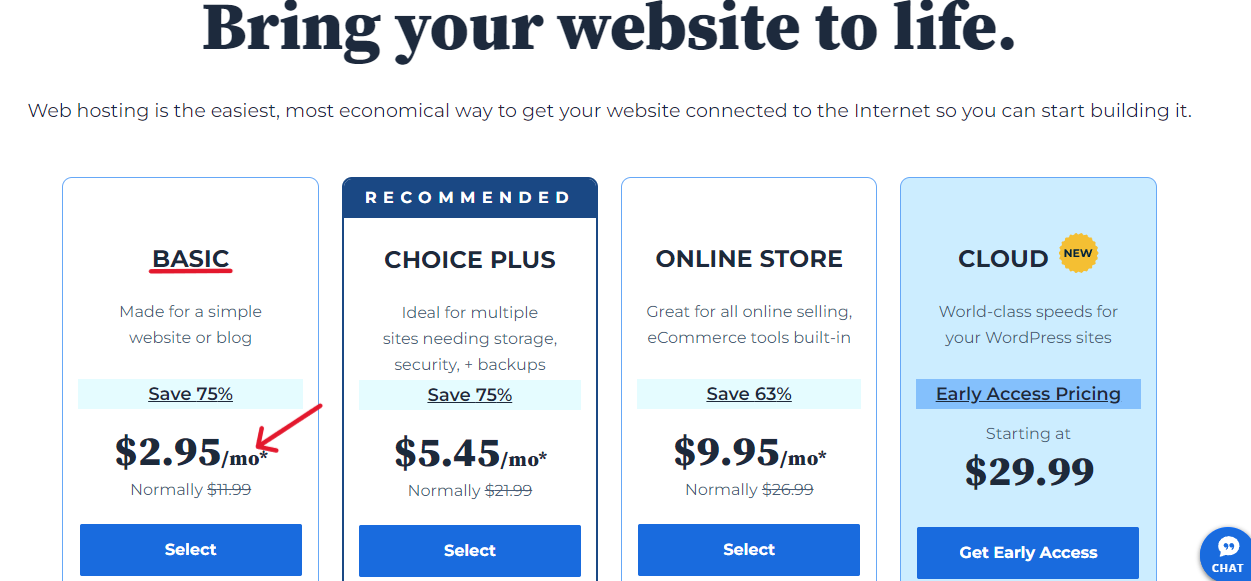
What would have cost you $159, you can now get for $35.40 – that’s a big savings of over $123.
This offer includes automatic WordPress installation and 24/7 customer support.
Bluehost is one of the best and most popular web hosting providers globally.
They’re the number one officially recommended web hosting provider by WordPress.org.
They have been in this business since 2005, with over 2 million websites currently hosted on their platform.
Once they install WordPress for you, you can start building your website.
Again, you’re building a self-hosted WordPress website, and not a free WordPress.com site.
For a new self-hosted website, you can start off with free tools to get your site rolling.
For instance, you can choose and install a beautiful theme from the 12,000 or so free themes available on WordPress.org Theme Directory from your website’s dashboard.
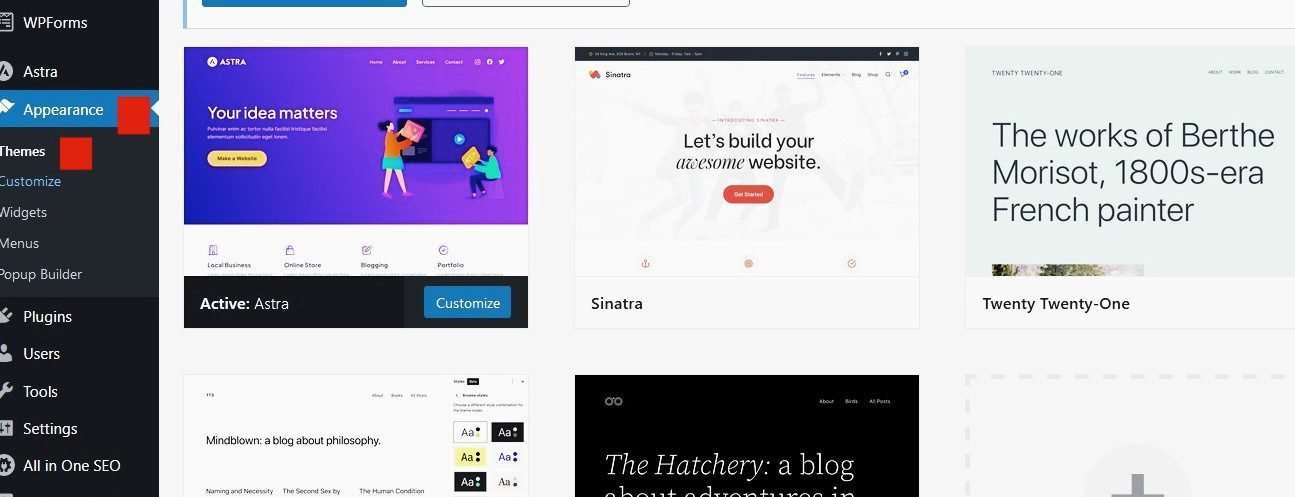
This will be the foundation of your website’s design.
Should you need help to choose one, see my guide on how to choose a good WordPress theme.
In the same way, you can choose and install all the free plugins you need to get started from your WordPress dashboard.
There are around 60,000 free plugins available on the WordPress Plugin Directory.
That said, you want to only install plugins based on the functionality you need on your site.
Go to Plugins ≫ Add New Plugin ≫ Search plugins…
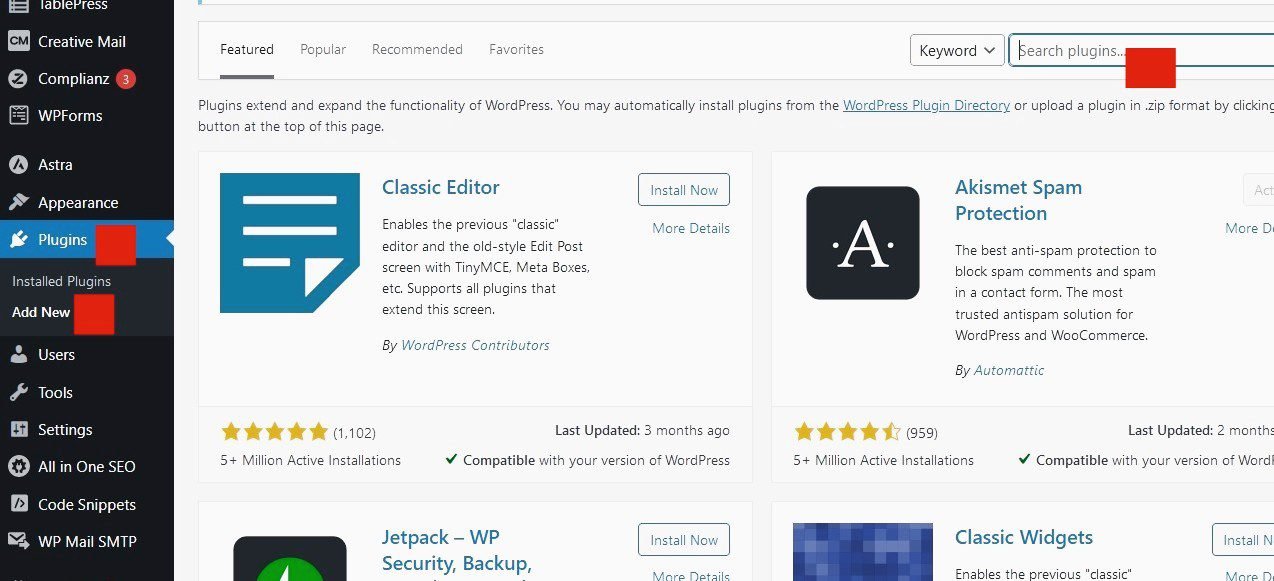
So, if you don’t need a feature yet, don’t install a plugin.
With that, here are the essential features your new website will require to get it up and running, plus the best free plugin option(s) available for each feature.
You will need:
▸ A Coming Soon page, Maintenance Mode page, landing pages, etc. Seed Prod is the best drag-and-drop page builder in the market.
Elementor is a good alternative.
▸ To gather traffic data on your visitors using Google Analytics (GA). MonsterInsights is the most popular plugin to connect your site to GA.
▸ A Contact form for your visitors to connect with you. WPForms is the best WordPress form builder available.
▸ To improve your search engine optimization (SEO) rankings. All-in-One SEO (AIOSEO) is the best WordPress SEO plugin.
A recommended alternative is Yoast SEO.
▸ To improve your website’s speed and performance. WP Super Cache is a great caching plugin.
▸ To defend your site from spam. Akismet Anti-Spam is the best spam protection.
▸ Image galleries. Envira Gallery Lite is a great drag-and-drop photo gallery plugin.
▸ Backups of your content just in case. UpdraftPlus is the top backup plugin.
▸ To be secure from hackers. Sucuri Security is a great option to keep it safe.
iThemes Security is a good alternative.
▸ To share content with friends on social media. Shared Counts is a popular choice.
▸ To improve email deliverability and resolve email issues. WP Mail SMTP is currently the best option available.
▸ To optimize your image files to help improve page speed. Smush is the most popular image optimization plugin for WordPress.
▸ To engage and retain visitors after they leave your site. Push Engage is a great option.
▸ If you need to create product sliders for your images. Soliloquy is the best responsive WordPress slider plugin.
Again, these are free plugins to get you started and only offer basic solutions.
Yearly Maintenance Costs: Since you’re using free tools, you only need to pay for web hosting and a domain name to continue running your site.
Again, once the initial term elapses, the cost of web hosting will revert to the normal price.
You’ll also need to start paying for your domain name after the first year to keep it.
So, the maintenance costs in round numbers for a simple blog or website include:
1. Domain – $20/yr
2. Web hosting – $136/yr
Total = $156 a year
However, once your site begins to attract more visitors, it is best to upgrade the features according to evolving needs.
What Is The Cost of Buiding A Small Business Website?
Again, a small business website is in between a simple website and an advanced website.
For a small business owner, a small business website is just right to showcase your product(s) or service(s) to the world.
If you’re interested in finding out the current price of a business website, here it is.
These are just the costs for essential features you need to launch out.
The overall cost will depend on the type and number of tools your site needs to achieve your business goals.
Having said that, you can set a budget ceiling of $1,400 for your small business website.
Because you’ll be needing both free and premium tools.
The limited features of some free tools cannot provide the functionality your business website needs to take off.
So, you can start with the basic versions of the premium tools you need.
Let’s break it down:
First, you’ll need a domain name and web hosting to set up your business website.
On average, a domain name sells for $15/year, and web hosting $12/month (usually billed yearly).
So for both, you’ll need approx. $160 a year.
But you don’t have to spend that much to get them, thanks to Bluehost.
Their special offer to my readers includes a 75% discount on web hosting and a free domain for the first year.
That means you’ll be needing just $35.40 for both.
So you get to save over $123 which you can plough into one or two much-needed premium features.
Next, your website needs a beautiful design that can instantly attract customers and enhance their interaction with your content.
You can browse the WordPress Theme Directory and select one of the free business themes that suits your needs.
However, if you can afford it, start with a premium theme for a business website.
You can buy a responsive theme with great user experience from third-party websites like ThemeForest, StudioPress, Envato, MyThemeShop, and many others.

Two advantages of purchasing a premium theme include the much-needed customer support and the regular updates you enjoy.
A good business WordPress theme currently costs between $50 and $300.
Your small business website will also need both free and paid features.
Again, select the best WordPress plugins within your budget for each feature.
Below are the essential features your small business website will need, and the best plugin options available.
▸ Contact forms, payment forms, conversational forms, and more.
WPForms will help you create any type of form. The Basic version sells for $49.50/year.
▸ A variety of landing pages including sales, options, coming soon, webinar, thank you pages, and much more.
SeedProd is the best premium drag-and-drop builder plugin. The Basic version goes for $31.50/year.
Beaver Builder and Divi are great alternatives. Their Basic version costs $99 and $70/year respectively.
▸ To improve its SEO rankings to get more customer.
All-in-One SEO will help improve your website search rankings. The Basic version sells for $49.60/year.
▸ Google Analytics to track your visitors’ movements and activities on your site.
MonsterInsights will provide you all the data you need to grow your business. The Basic version costs $99.60/year.
▸ To convert your visitors into leads and customers.
OptinMonster Premium is the most powerful conversion optimization toolkit in the world.
The Basic version gives you essential tools to get more leads from your traffic. It sells for $59.60 per year.
▸ An efficient email marketing system. Constant Contact will help your email marketing campaign efforts.
It costs $12/month. That equals to $144 a year.
▸ To improve email deliverability, and fix any issue of the site not sending emails.
WP Mail SMTP easily resolves email delivery issues. The Pro version costs $49/year.
▸ To create workflows and integrations amongst your site tools and apps.
Uncanny Automator helps you build seamless and working connections between all the tools on your site without any code. The Pro version sells for $149/year.
▸ More backups, and multiple storage.
UpdraftPlus will give you incremental backups, multiple storage destinations, automatic backups before updates, and much more. It starts from $70/year.
▸ Security against hacks, malware, and other malicious attacks.
Sucuri will fix hacks and prevent future attacks. The Basic option is perfect for your small business website. It costs $199.99/year.
▸ To connect to social media. Smash Balloon lets you easily add social media feeds to your website.
Each social platform costs $49/year. You can start with the popular platforms like Facebook, Instagram, YouTube, and Twitter.
While there are a host of other features you can add to the list above, you want to only add essential features that you need to get started.
Again, don’t include any feature unless it will help to improve user interaction with your website.
Luckily, many of these premium tools come with a 30-day full money-back guarantee, should you not be satisfied with your purchase. So there’s really nothing to lose.
For web hosting, if you can comfortably adjust your budget without letting any essential element of your website suffer, you can start with Bluehost’s Choice Plus or better still, SiteGround’s best-seller plan, GrowBig.
Either will cost you a little more though.
However, for SiteGround for example, you’ll enjoy some wonderful premium features including 100,000 visits monthly, a staging site, on-demand backups, and 30% more site speed.
Initially, it will cost just $6.69/month – a 77% discount. It costs $29.99/month.
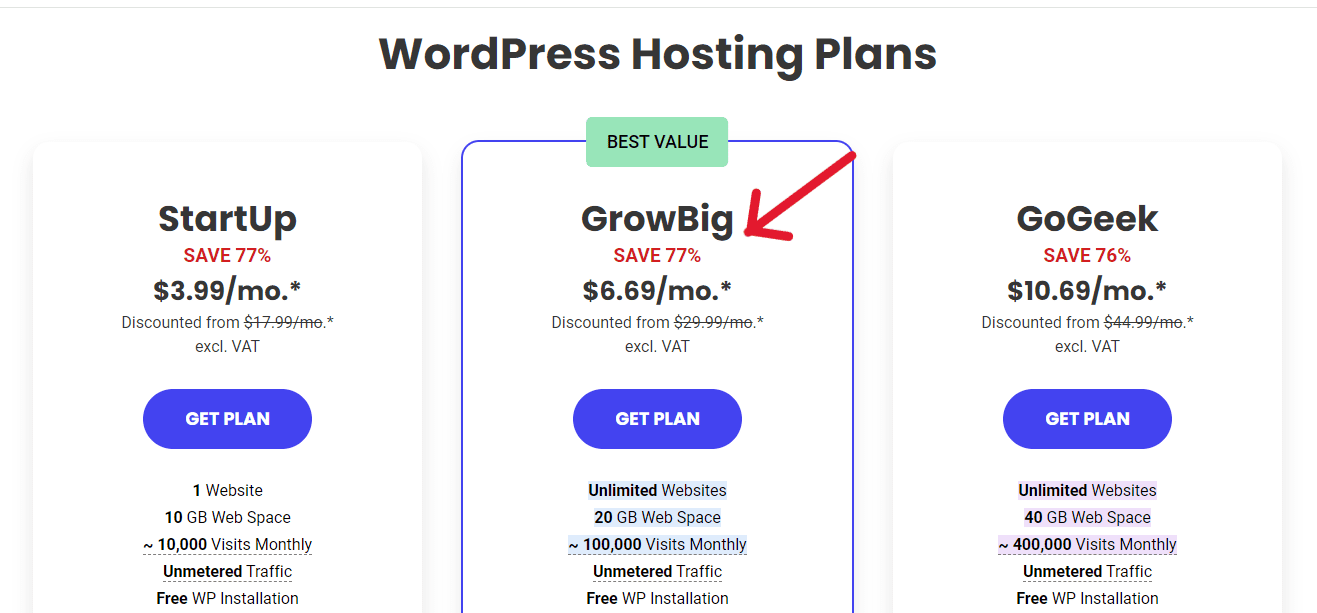
So, you’ll pay a little over $80 for the first year (Keep in mind it renews at the normal price in the second year).
SiteGround also gives top-rated customer support, which makes it a great option for small business websites.
Yearly Maintenance Costs: You’ll need to renew your domain and web hosting at the normal price once the special offer for the first term ends.
If you’re using Bluehost’s Choice Plus, in round numbers, web hosting will cost $264, while SiteGround’s GrowBig will cost $360 per year. Plus $20 for a year domain name.
You’ll also need to renew all the basic premium tools on your site (at their normal prices) every year.
So, the running costs in round figures for a small business website will include:
1. Domain − $20/yr
2. Web hosting − $264/yr (Bluehost) or $360/yr (SiteGround)
3. Basic premium tools − $1,340 – $1,450/yr
Total = $1,600 – $1,800 a year
Having said that, once your site starts to grow, don’t hesitate to replace free or basic tools with more advanced options so your business website can continue to run smoothly.
What Is the Cost of Buiding An Advanced Website?
As your simple or small business website grows, you will need more powerful features to meet its changing essentials.
In round figures, the current price of an advanced website is about $2000.
Again, the free and basic features are just good enough to get your website up and running.
However, as more visitors throng your website, it will begin to have a slow server response time, partly due to the small size of your hosting plan.
Your web pages will then begin to take time to load.
Unfortunately, people want everything served to them at the speed of light.
As Neil Patel said, “A slow site can frustrate visitors and, in turn, hurt conversions.”
So at that point, you should consider changing your web hosting plan to meet your new needs.
You’d need a new hosting plan that is bigger and better …like SiteGround’s GoGeeks or WPEngine’s Essential WordPress.
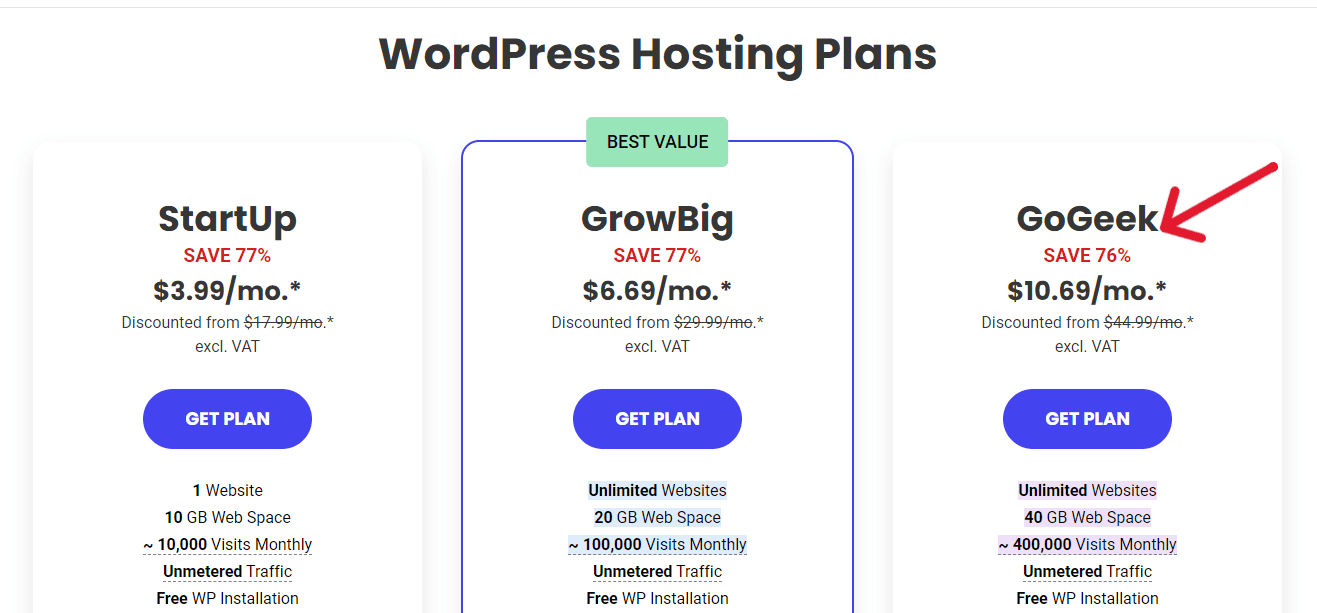
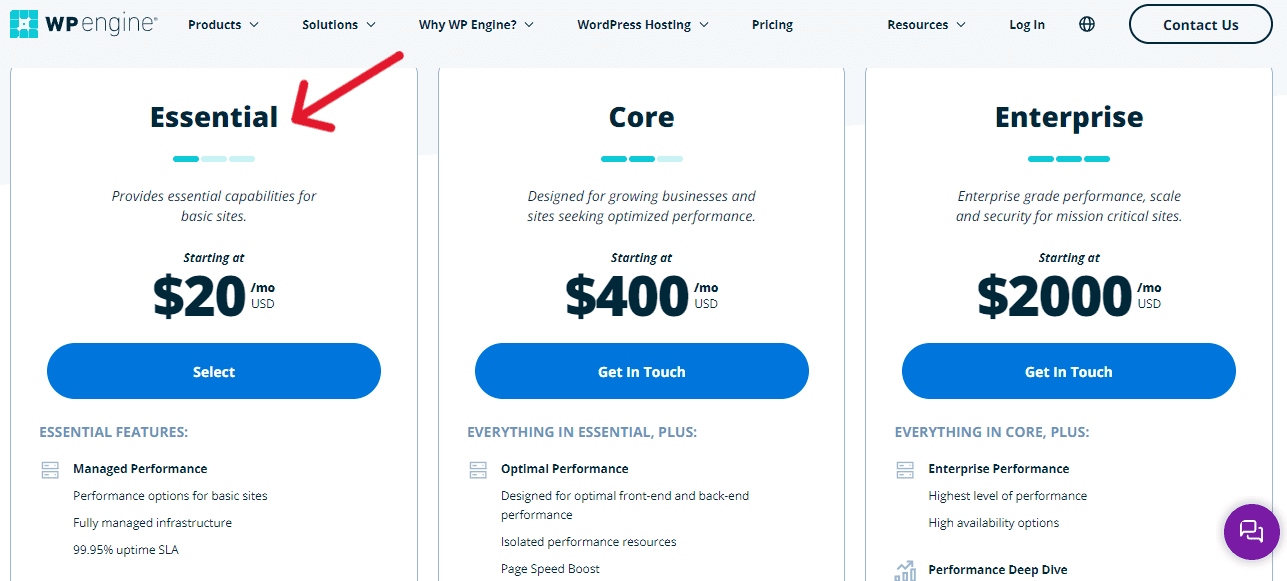
Either of them will cost you more but at this point, it is needful.
Moreover, these more powerful hosting plans include several advanced features like advanced priority support, automatic backups, and faster site speed.
If you’re moving to WPEngine, you’ll get 33% off the Essential plan for the first year.
Let’s now look at the advanced features you’ll need on your site, and the best plugins to add.
▸ Custom landing pages, and many other pages.
SeedProd Pro is the best drop-and-drop page builder on the market. The Pro version costs $159. 50/year.
▸ Contact forms, feedback forms, conversational forms, and more.
WPForms Pro is the best WordPress drag-and-drop form builder. The Pro version costs $199.50/year.
▸ Google Analytics to track your visitors’ movements and activities on your site.
MonsterInsights Pro is the best plugin to connect your website to Google Analytics. The Pro version costs $199.60/year.
▸ Convert your visitors into customers.
OptinMonster Pro is the best conversion optimization plugin on the market. The Pro version currently sells for $199.60 a year.
▸ Improve its SEO ranking.
All-in-One SEO Pro will improve your website’s SEO rankings. The Pro version costs $199.60/year.
▸ An efficient email marketing system. Constant Contact is the best email marketing plugin. The Standard plan sells for $35/month which equals $420 a year.
▸ A robust backup strategy should anything go wrong.
UpdraftPlus Premium offers incremental backups, multiple storage destinations, automatic backup before updates, and more. The Personal version sells for $70/year.
SolidWP is a great alternative and starts from $99/year.
▸ Efficient email deliverability and resolve site not sending emails (should any arise).
WP Mail SMTP Pro is the most popular WordPress plugin for resolving email delivery issues. The Pro version is now $49/year.
▸ Create workflows and integrations between your site, plugins, and apps.
Uncanny Automator Pro creates automatic workflows and connects your website and all the tools installed in it without any code. The Pro version sells for $149/year.
▸ Security against any hacks or malware.
Sucuri scans your site for malware and protects it generally. It is the best WordPress firewall plugin in the market. The Pro version costs $299.99/year.
Cloudflare is a good alternative. It costs $20/month, that’s $240/year.
Yearly maintenance costs: Once the introductory term expires, your domain name and web hosting will revert to the normal price.
SiteGround’s GoGeek will cost $480 a year, while WP Engine’s Essential will cost you $360.
You’ll also need to renew all the advanced Pro tools on your site at the normal price.
So in round numbers, the running costs for an advanced website include:
1. Domain − $20/yr
2. Web hosting − $480/yr (SiteGround) or $360/yr (WPEngine)
3. Pro premium tools − $2,000 – $2,300/yr
Total = $2,360 – $2,800 a year
What Is the Cost of Building An Online Store?
If you’re planning to take your brick-and-mortar store online, or are looking to start your first-ever web-based retail business, you most likely will want to find out the current cost of an eCommerce website.
The price of an online store varies greatly from the typical website or blog.
Because some of the tools needed to start and manage a robust eCommerce site are quite different and much higher in price.
After purchasing domain and hosting, among others, your store will need a shopping cart plugin, an SSL (Service Sockets Layer) certificate, and Pro versions of premium plugins.
While WordPress eCommerce plugin is free, you’ll need to purchase an SSL certificate and Pro premium tools.
So in round numbers, the cost of building an eCommerce website today is about $3,000.
Let’s break it down:
On average, a .com domain is about $15/year, hosting – $12/month (billed yearly), and high assurance SSL certificates – from $60/year.
So you’ll need approximately $220 to get started.
Thankfully, you don’t have to spend that much in the beginning on popular hosting platforms like Bluehost and SiteGround.
Bluehost
There are two much cheaper routes you can take to create your eCommerce store on Bluehost.
The first way is the usual route via Shared hosting.
This option is great for personal websites and small businesses with a small customer base, say less than a hundred.
Hosting is at a discounted price of $2.95/month (billed 12-monthly) or $4.95/month (billed 36-monthly) − for the first term. Plus free domain and SSL certificate for one year.
So, if you choose the 12-month term, for example, everything will cost only $35.40, instead of $220. You get to save about $185 (which can be invested in essential premium add-ons).
Now that’s a good deal!
Next, you’ll need to install a good WordPress shopping cart solution to add your online store.
WooCommerce is the best plugin to easily integrate all the necessary eCommerce functionality into your WordPress site.
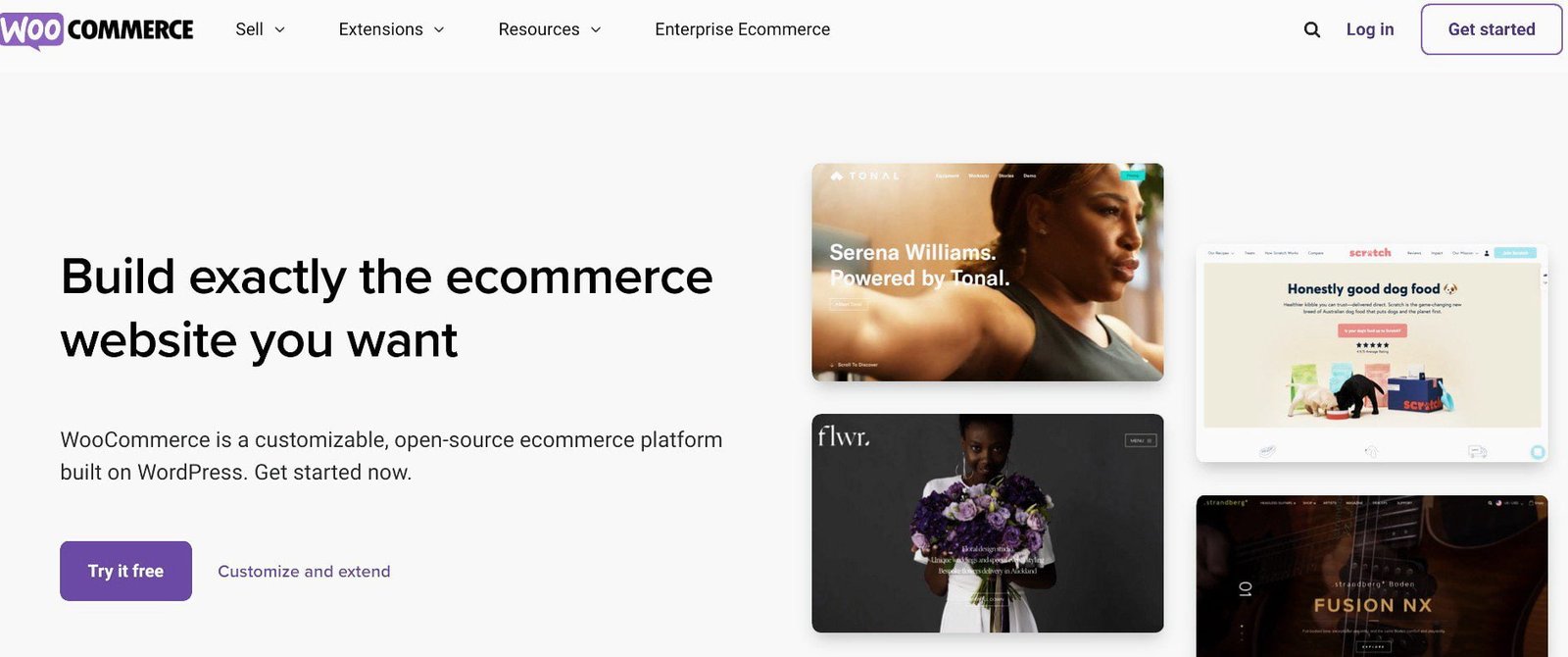
It is free to use and it extends WordPress so beautifully like no other.
The best part is that anyone can use WooCommerce to build a professional and customized online store in minutes.
And what’s more, all your store’s content and data belong to you.
You’ll also need a responsive storefront theme for your eCommerce website.
There are free themes specifically designed for eCommerce and WooCommerce in the WordPress Theme Directory you can select from.
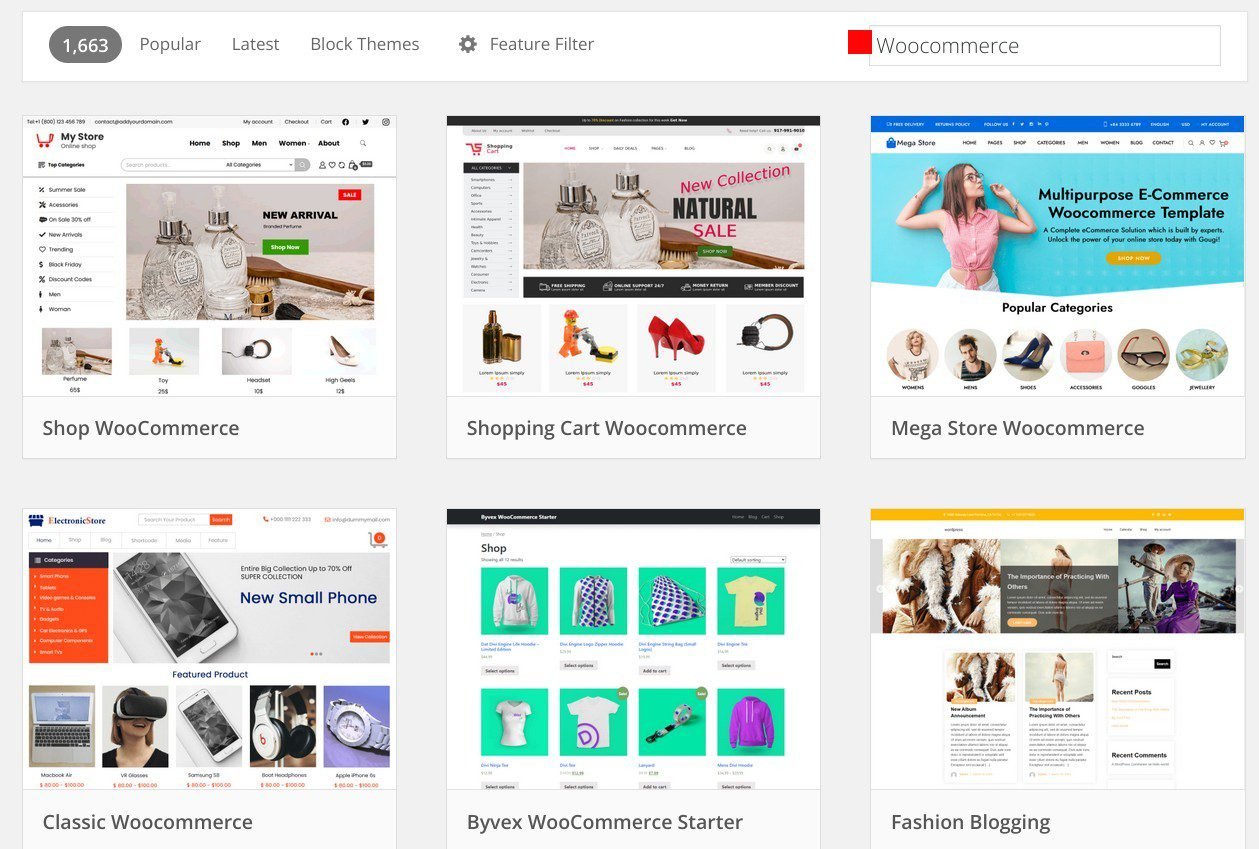
You can use the Feature Filter option to streamline your search.
If you prefer a premium theme (because of its support and more robust features), you can visit third-party sites like ThemeForest, Envato, and StudioPress.
They sell paid themes and templates specially made for eCommerce.
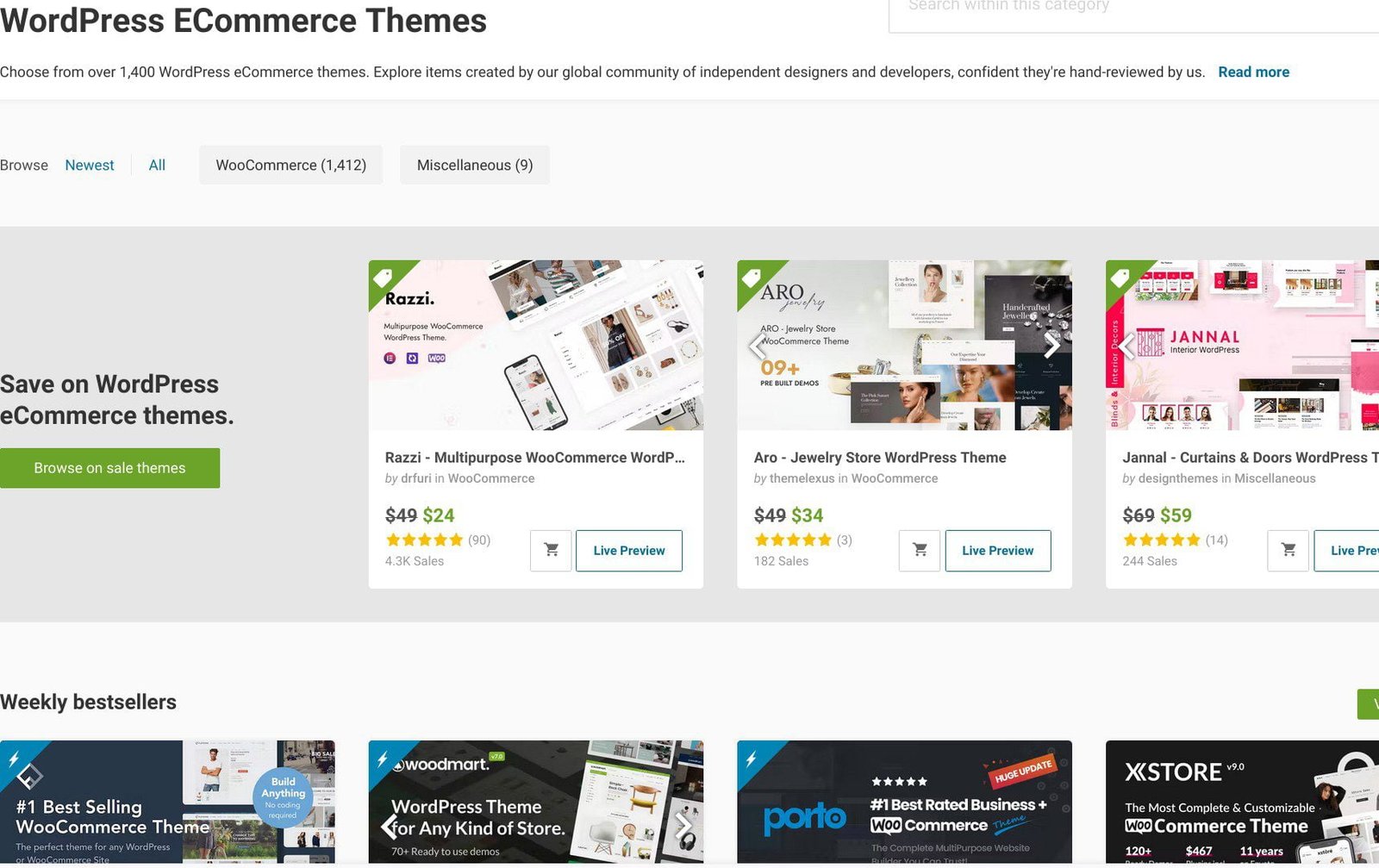
Prices range between $20 and $350 − usually a one-time purchase. So, you can use it for
The second route to build an online store on Bluehost is to purchase their WooCommerce hosting.
It is configured and well-optimized for eCommerce.
It has 2 different pricing options – 12 months and 36 months.
The introductory plan for both plans is heavily discounted.
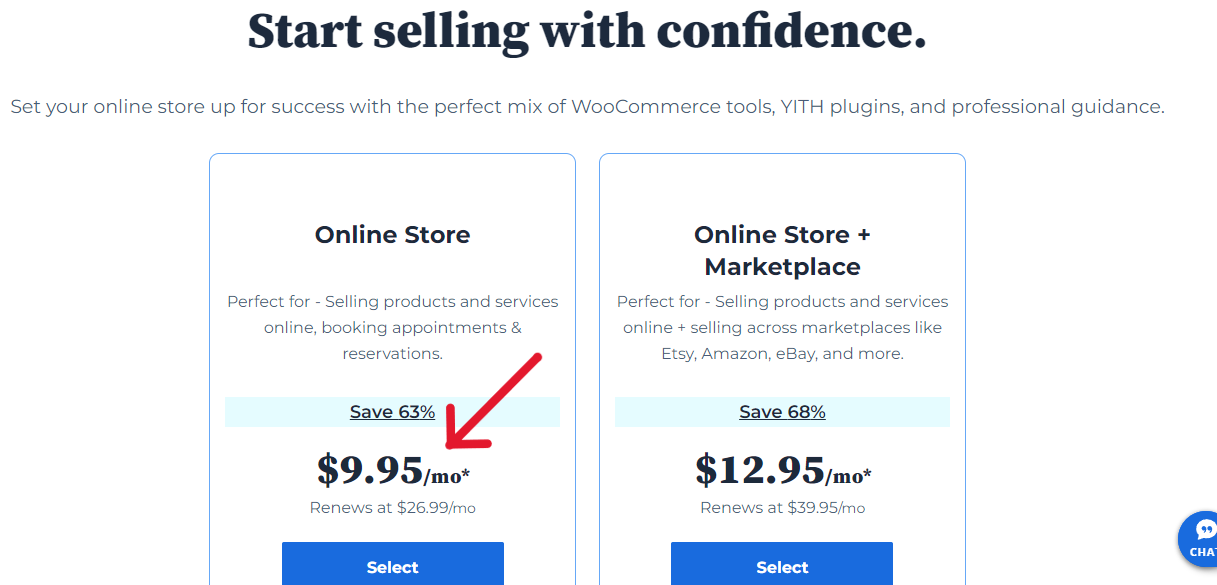
The Online Store plan has all the features you need to start selling online in minutes. They include:
✓ Automatic WooCommerce install
✓ Free domain for 1st year
✓ Free WooCommerce SSL
✓ 40 GB SSD storage
✓ Yoast SEO
✓ Unlimited products
✓ Wishlists
✓ Secure online payments
✓ Products search & filtering
✓ Daily backup
✓ Automatic WordPress updates
✓ And so much more
Currently, the 12-month term costs $26.99, but you can get it now for $8.95 per month − a 67% reduction.
Also, the 36-month term normally sells for $25.99 but you can buy it now for $11.95 a month, a 50% discount.
So, if you choose the 12-month option, you will spend $107.40 a year to get started.
Two cheap ways to set up your online store on Bluehost (compared)

| Top Features | Basic Plan | Online Store |
|---|---|---|
| Startup Costs | $35.40/year | $119.40/year |
| SSD Storage | 10GB | 100GB |
| Free Domain | Yes | Yes |
| Free SSL | First year | For life |
| Customer support | Available 24/7 | Available 24/7 |
| WooCommerce | Easy to install | Preinstalled |
| Storefront themes | You need to install one | Exclusive store theme preinstalled |
| Backups | Easily install Updraftplus | Jetpack daily backups preinstalled |
| eCommerce plugins | Need to be installed | Comes with $450 worth of plugins |
| Display space | Limited products | Unlimited products |
| Payment processors | Needs to be installed | Already installed |
| Bookings/Appointments | Need to be installed | Already installed |
| Product search & Filtering | Needs to be installed | Already installed |
| Customer account creation | Needs to be installed | Already installed |
| Wish List & Shipping Labels | Needs to be installed | Already installed |
The longer term of 36 months is the best deal (if you can afford it).
It allows you to enjoy the discounted price of $12.95 a month for longer. So, it will cost $466.2 for 3 years.
However, don’t bite off more than you can chew − especially if you’re just starting out.
SiteGround
SiteGround hosting also comes highly recommended for building a robust eCommerce website. Because their WooCommerce plans are specifically designed for that purpose.
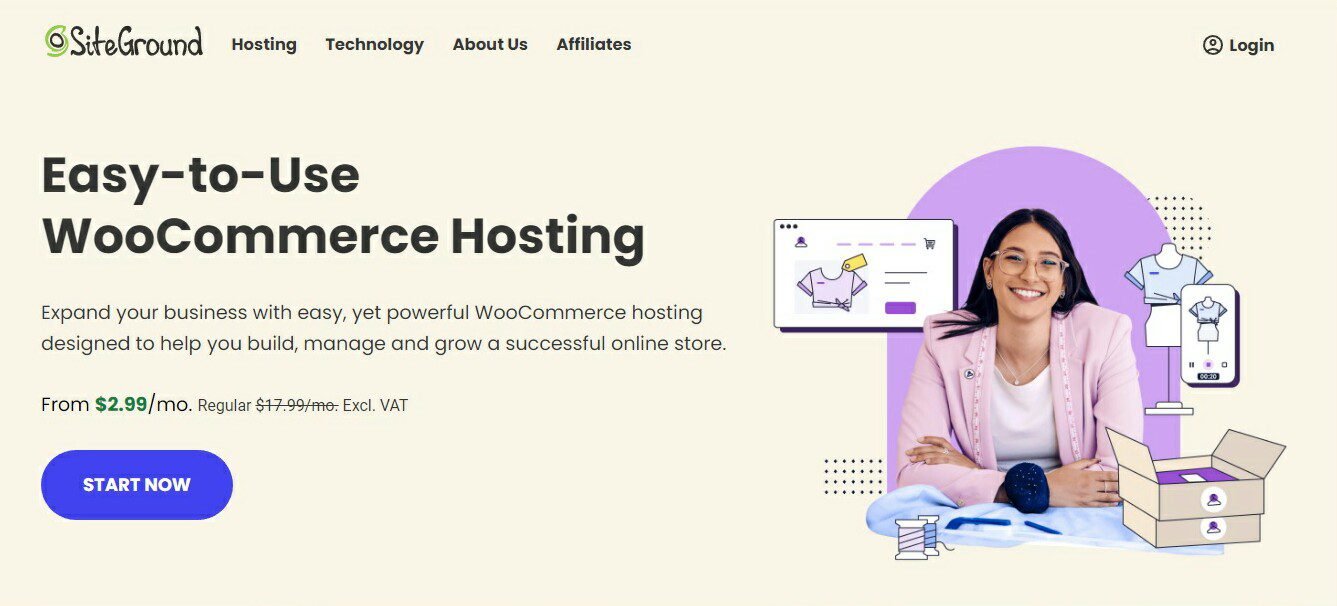
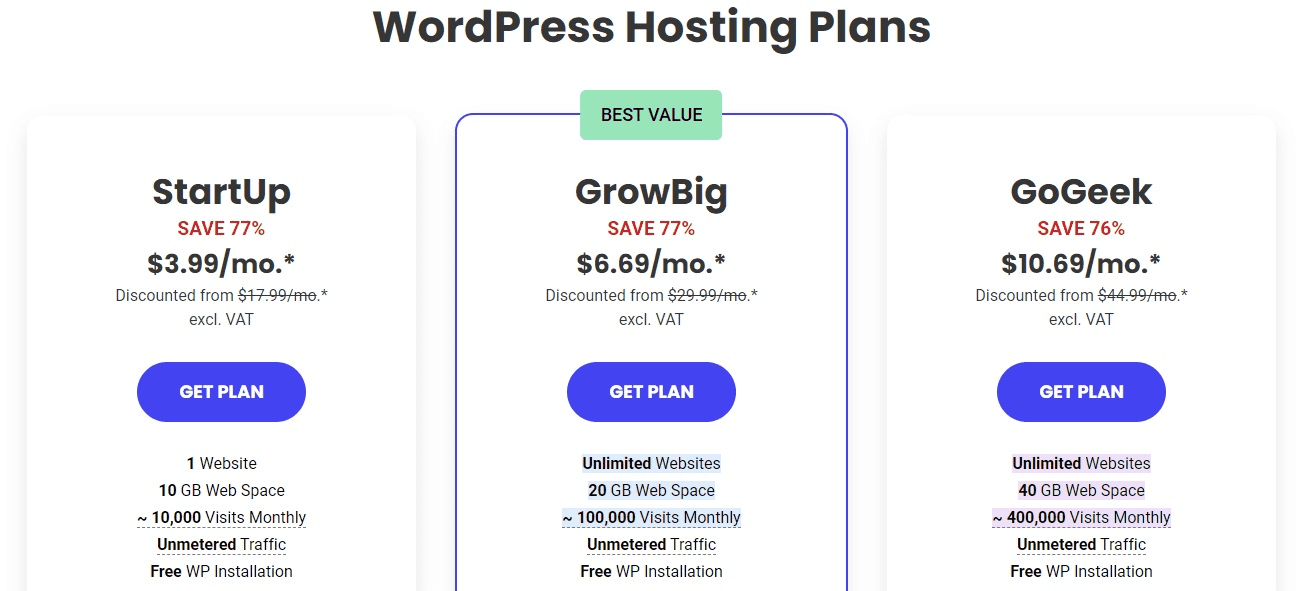
It has 3 hosting plans − StartUp, GrowBig, and GoGeek; and 3 hosting periods − 1 month, 12 months, and 24 months.
The initial term for 12-month and 24-month hosting plans is discounted from the regular price.
The 12-month period is the best deal; it offers a 78% reduction.
The StartUp plan is great for one website. It normally costs $17.99 a month, but you’ll get it for only $3.99.
The GrowBig plan normally costs $29.99/month, but you can get it for just $6.69.
The GoGeek plan normally costs $44.99/month but will cost you $10.69.
However, if you’re a relatively new business with a barely existing customer base, I recommend the StartUp plan. It is just ideal for a new eCommerce website:
✓ Free WooCommerce install
✓ Free and automated SSL certificates
✓ 10,000 visits monthly
✓ Free WP installation
✓ Daily backup
✓ Free CDN
✓ Automatic WP and plugin updates
✓ Unlimited databases
✓ Enhanced security (including WAF)
✓ Out-of-the-box caching
✓ Free email
✓ Add collaborators
✓ And lots more
You can scale up as your customer base and revenue grow.
If you already own a brick-and-motar store with a sizeable customer base, you could start with the GrowBig plan. It includes all the features the StartUp plan, plus:
✓ 20 GB of storage
✓ On-demand backup copies
✓ 30% more page load speed
✓ One-click staging tool
That being said, depending on what you want to sell, your store will need additional functionalities to run smoothly. Such as subscriptions, bookings, memberships, payment gateways, shipping, and much more.
So the overall cost of building your online store will depend on the features you add to it.
There are free WooCommerce plugins and extensions that can help you get your store off to a flying start.
However, there are also paid add-ons that you’ll need to run your store successfully.
Again, the products or services you’re selling will determine the features you add to your site with plugins and extensions.
Let’s look at some of the features you would need for your eCommerce to work efficiently and smoothly, and the best plugin for each.
Your online store will need:
▸ A variety of custom landing pages for sales, coming soon, thank you pages, product pages, and more.
SeedProd Pro is the no 1 drag-and-drop paid builder plugin available.
The Pro version has everything you need to build a perfect online store and costs $159.50/year. However, you can start with the Plus version which sells for $79.60/year.
▸ Payment forms, order forms, contact forms, feedback forms, and more.
WPForms Pro is the best drag-and-drop form builder to add all kinds of forms to your online store. The Pro version sells at a discounted price of $199.50/year.
▸ Interactive product sliders to boost sales.
Soliloquy is the best responsible WordPress slider plugin to create beautiful product sliders in minutes.
The Developer version is the most popular and now costs $99.50/year.
▸ Convert your visitors into customers.
OptinMonster Pro is the number one customer acquisition and lead generation plugin. It currently sells for $199.60 a year.
▸ Google Analytics to gather useful data such as real-time analytics, eCommerce reports, user behavior reports, SEO ranking reports, etc.
MonsterInsights Pro is the most powerful WordPress Google Analytics plugin available.
The Pro version is the recommended option for eCommerce. It costs $199.60 per year.
▸ Improve its WooCommerce ranking.
All in One SEO Pro offers advanced eCommerce SEO support for WooCommerce to optimize product pages, products categories, and more. The Pro version sells for $199.60/year.
▸ An efficient email marketing system.
Constant Contact is the best email marketing service for new and small businesses. It currently costs $12/month, that’s $144 for one year.
▸ Efficient email deliverability, and quick fix of site not sending email.
WPMailSMTP Pro is the most popular email delivery problem fixer.
The Pro version is everything you need to solve your email deliverability issues. It costs only $49/year.
▸ A solid backup strategy just in case.
SolidWP is a highly recommended WordPress backup plugin for automatic backups, multiple storage destinations, and more.
The Gold version is ideal for an online store. It starts at $199/year.
UpdraftPlus Premium is a good alternative, and is compatible with the latest version of WordPress.
The Enterprise version sells for $195/year. It offers an auto-renewal option with a 40% discount.
▸ Create workflows and integrations among your site’s tools and apps.
Uncanny Automator helps connect your website with your plugins and apps to create powerful workflows without any code. The Pro version costs $149/year.
▸ Security against hacks, malware, etc.
Sucuri Pro is the best website firewall and malware scanner. It sells for $299.99/year.
▸ Connect with your customers in real time.
HubSpot allows live chats, CRM (contact management), email marketing and analytics. It is free.
Yearly Maintenance Costs in round numbers:
Your domain name and web hosting will renew at the regular price after the first term.
All the Pro premium tools will also renew at the normal price.
So in round figures, the running costs of an eCommerce store will include:
1. Domain name – $20/yr
2. Bluehost hosting – $144/yr (Basic plan) or $300/yr (Online Store plan)
SiteGround hosting – $216/yr (StartUp plan) or $360/yr (GrowBig)
3. Pro premium tools – $3,700 – $ 4,500/yr
Total = $4,000 – $5,000 a year
Again, as more traffic throngs your online store, it makes good business sense to move to a more powerful web hosting plan and add more powerful features.
You don’t want to compromise on the smooth running of your website for a minute.
Because it can result in a huge loss of reputation and money.
Your rankings in Google Search will also be badly affected.
What Is the Cost of Building An eCommerce Marketplace Website (Like Amazon)
You can also create an online marketplace like Amazon where users can buy and sell their products.
There are two ways to do this.
The first option is to use Bluehost WooCommerce hosting. They have a hosting package specially designed for online marketplace.
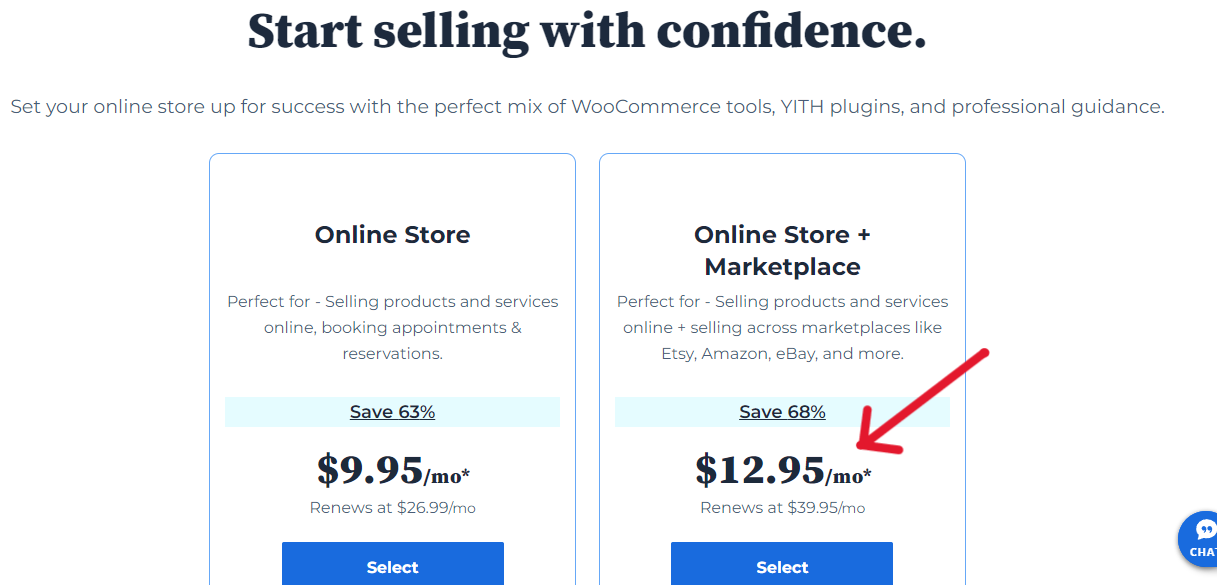
It currently costs $12.95/month for the 12-month term (a 68% discount), and $19.95 for the 36-month term (a 50% discount).
The second way is to add a multi-vendor plugin like WC Vendors to your online store.
This plugin will turn WooCommerce into a multi-vendor marketplace.
It has a free version which you can begin with, but the Pro version has all the functionality you need for a marketplace website. It currently sells for $99.50 annually.
WC Vendors have made the comparison between the two versions.
Dokan is a good alternative. Its free version offers the most basic features for a multi-vendor store.
The paid version, Starter, allows you to create a full-featured multi-vendor marketplace. The current price is $149 a year.
So, you’ll need about $4,000 to build an online marketplace, while yearly maintenance costs will hover between $5,500 and $6,000.
How to Keep Your Costs Within Your Budget
Whichever type of website you want to build, it is advisable to set a budget ceiling and stick to it.
That way, you’ll be able to keep your spending in check and bring down the price of your website.
Setting a budget cap keeps you within a price bracket and helps you focus on the essential features required per time to run your website efficiently.
If you’re just starting out and want to make money from your website, it makes good economic sense to start small.
Initially, you only need basic features to get your site up and running.
At that point, you don’t have to incur additional expenses except web hosting.
Free plugins and themes will do the job for you.
As your business grows, and traffic to your site increases, you can scale and add more advanced features to match your evolving needs.
This helps you not to go overboard with premium features, and keep your costs within your budget.
Also, setting a budget limit helps you maintain flexibility in your spending. It also sets a cap on how much you can spend on each premium feature so you don’t overspend or underspend on any.
I can’t overemphasize this point: what should determine the premium features you add to your website is the need for them, based on the increase in traffic.
Again, the top-ranking sites in your niche have those advanced features because of the large number of visitors and customers they attract.
Next, you can also cut costs by taking advantage of discounts that companies offer on their products from time to time.
So, you want to be on the lookout for promos that businesses organize periodically.
The cost of building a new website with only the essential functionality needed to get it started (in rounded figures).
| Type of website | Startup costs | Running costs |
|---|---|---|
| A simple website | $90 | $160 |
| A small business website | $1,200 | $1,600 |
| An advanced website | $2,000 | $2,800 |
| An eCommerce store | $3,000 | $4,000 – $5,000 |
| An online marketplace (like Amazon) | $4,000 | $5,500 – $6,000 |
Frequently Asked Questions (FAQs)
How much does it cost to create a new website?
The cost of building a new website depends on several factors. They include the type and size of the site, the functionality you want on it, your budget size, your goals, and who is building it.
It will be more expensive to engage a web designing company or a freelance designer.
But if you choose to build it yourself (which you can do given the number of tools available today) the price can be a lot cheaper.
Your website won’t look cheap, but the price will be relatively cheap.
And you don’t have to learn a line of code to create a professional-looking website because of these amazing tools.
Having said all that, below are the current prices of different types of websites:
A basic blog-based, DIY website will cost about $90 to get it off the ground.
Average web agencies can charge from $1,000, while a freelancer $500. High-end companies and freelancers can charge from $2,000.
A small business DIY website will cost around $1,200 to get it started.
An average web agency’s fee starts from $5,000, and a freelance $2,000. High-end agencies and freelancers can start from $10,000.
An advanced DIY website will cost you around $2,000.
Average web companies’ charges start from $8,000, and freelancers’ $4,000. High-end agencies and freelancers can start from $15,000.
A DIY eCommerce store will cost about $3,000 to get it running smoothly.
An average web company can charge you from $10,000 while freelancer $5,000.
A DIY online marketplace will cost around $4,000 in the beginning.
An average web agency can cost $10,000 and freelancer $5,000. High-end agencies and freelancers can charge from $20,000.
Here is the table-form of the current cost of a new website:
| Type of website | Do It Yourself (DIY) | Average Web Agency/Freelancer | High-End Web Agency/Freelancer |
|---|---|---|---|
| A simple website | $90 | $I,000/$500 | $2,000 |
| A small business website | $1,400 | $5,000/$2,000 | $10,000 |
| An advanced website | $2,000 | $8,000/$4,000 | $15,000 |
| An eCommerce store | $3,000 | $10,000/$5,000 | $20,000 |
| An online marketplace | $4,000 | $10,000/$5,000 | $20,000 |
How much does it cost yearly to maintain a website?
The average yearly maintenance costs of a website, again, depend on the type of site.
To round it off, a bare-bones DIY website will cost $160, a small business website $1,600, an advanced website $2,800, an eCommerce store $5,000, and an online marketplace $6,000.
If you outsource the maintenance of your website, then it will cost you some more, depending on who you want to hire and your bargaining power.
How much does it cost to hire someone to make a website?
First, you can hire a web development company or a freelance web designer.
A web agency has different professionals on its payroll such as web designers, graphic designers, etc. who handle different aspects of your website. While a freelancer may handle everything himself or outsource a part if he wants to.
So, hiring an agency will cost a lot more than a freelance.
Second, the cost of a website depends on the type of site, the features and the web design.
However, a freelancer can charge between $20 and $250 an hour, depending on their experience, and the size of the project.
See the table above for an average how much it cost to hire an agency or a freelance.
Conclusion
Gone is the time when the only options for creating a website were to hire an agency or a freelance developer.
With a content management system like WordPress, you can easily build any website yourself and keep within your means.
Feel free to consult the following exhaustive, step-by-step guides to get started:
▪ How to start a blog and make money (anywhere)
▪ How to choose a good domain name for your site
▪ How to select your best blog niche
So, there you have it – how much does it cost to build a new website (current prices).
I hope this article has helped you to get a good grasp of this topic.
You may also look at my posts on 27 simple SEO best practices (recommended by Google) and how to develop an effectively robust SEO strategy in 2025.
They are very detailed guides on how to optimize your site and increase your chances of ranking well in Google Search.
If you like this article, kindly help me spread the word among your friends. Thank you!